Does Your Internet Seem Slow?
Based on an article by Fiona Syrett at http://digitalunite.com/
Here is a simple way to check your speed and some tips for speeding it up.
When you sign up for broadband, your internet provider (ISP) tells you the maximum speed you can expect. However, the reality can be quite different.
It’s very easy to find out what speed you’re actually getting.
Follow these step-by-step instructions to find out your internet speed
Step 1: Open your web browser – for example, Chrome, Firefox or Safari. (I don’t recommend using Internet Explorer.)
Step 2: Click in the address bar at the top and type in www.speedtest.net
Be sure you use “.net” and not “.com.”
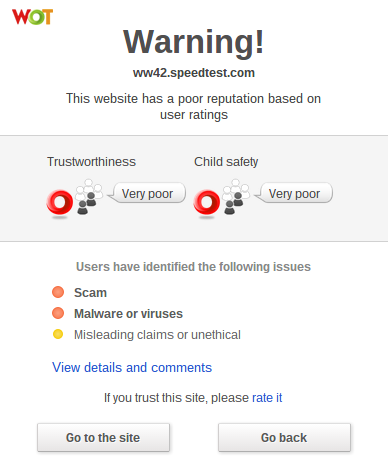
Note: If you have WOT (Web of Trust) installed on your web browser and you were to accidentally go to “speedtest.com,” instead of “speedtest.net;” you would see this somewhat scary, but very helpful, warning message and you would click on “Go Back.”
Step 3: Now, with www.speedtest.net entered in the address bar, press the “Enter” key on the keyboard. This will take you to the website that will check your internet speed.
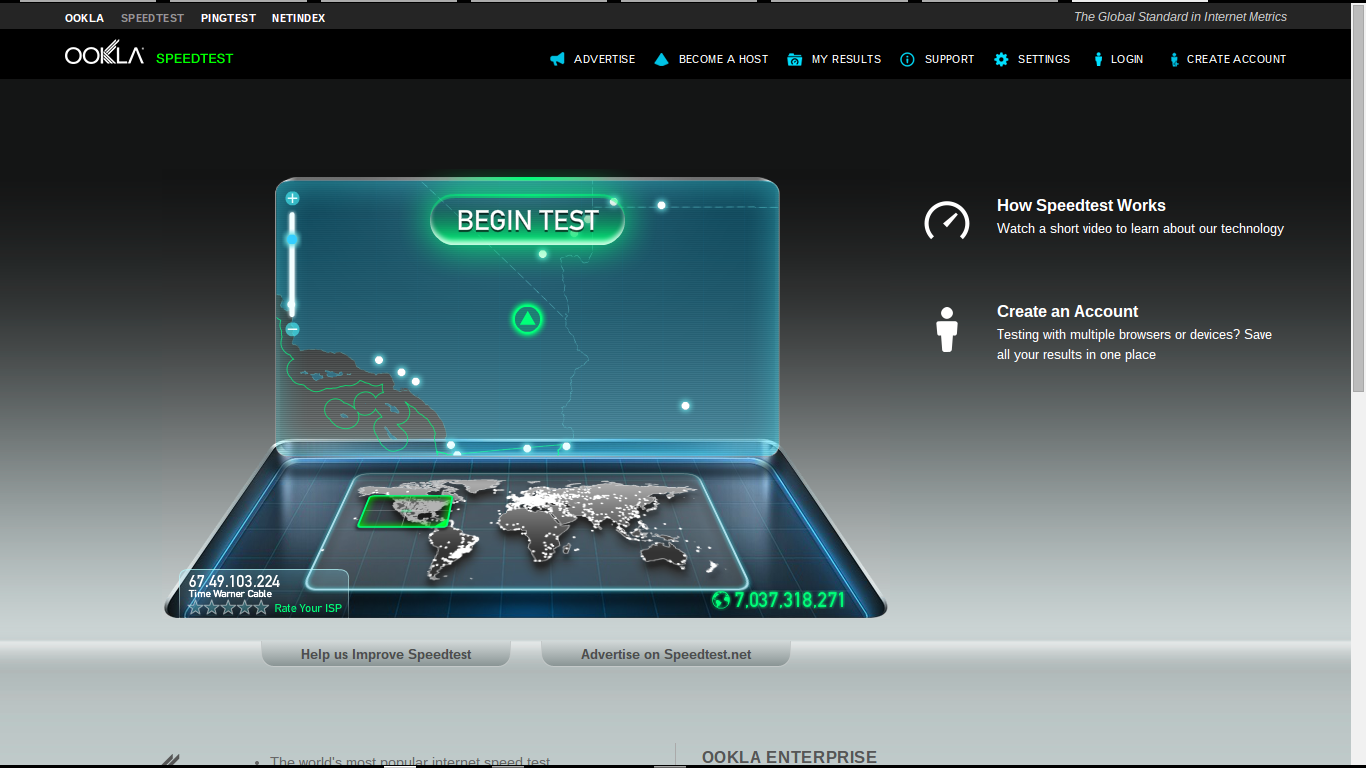
Step 4: When the page has loaded click “Begin Test.”
The results will show you two speeds:
- The download speed is how long it takes for pages to appear on your screen and to download files such as music files from the internet to your computer.
- The upload speed is the opposite – for instance, how long it takes to upload photographs from your computer to an online photo album.
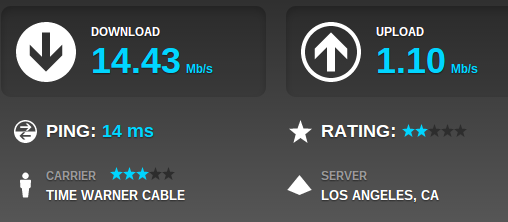
Internet speeds can vary considerably at different times of the day, so you should check yours more than once.
If your internet speeds are slower than you think they should be:
Step 1: Find out what speed you’re paying your internet provider (ISP) for. You may have to phone them to get the answer to this. If you’ve had your broadband for some time, it may be time to upgrade.
Step 2: Check what speed is achievable in your area. You can click on the “Net Index” tab at www.speedtest.net and enter the name of your city in the search box. Here is a screenshot for Palm Desert:
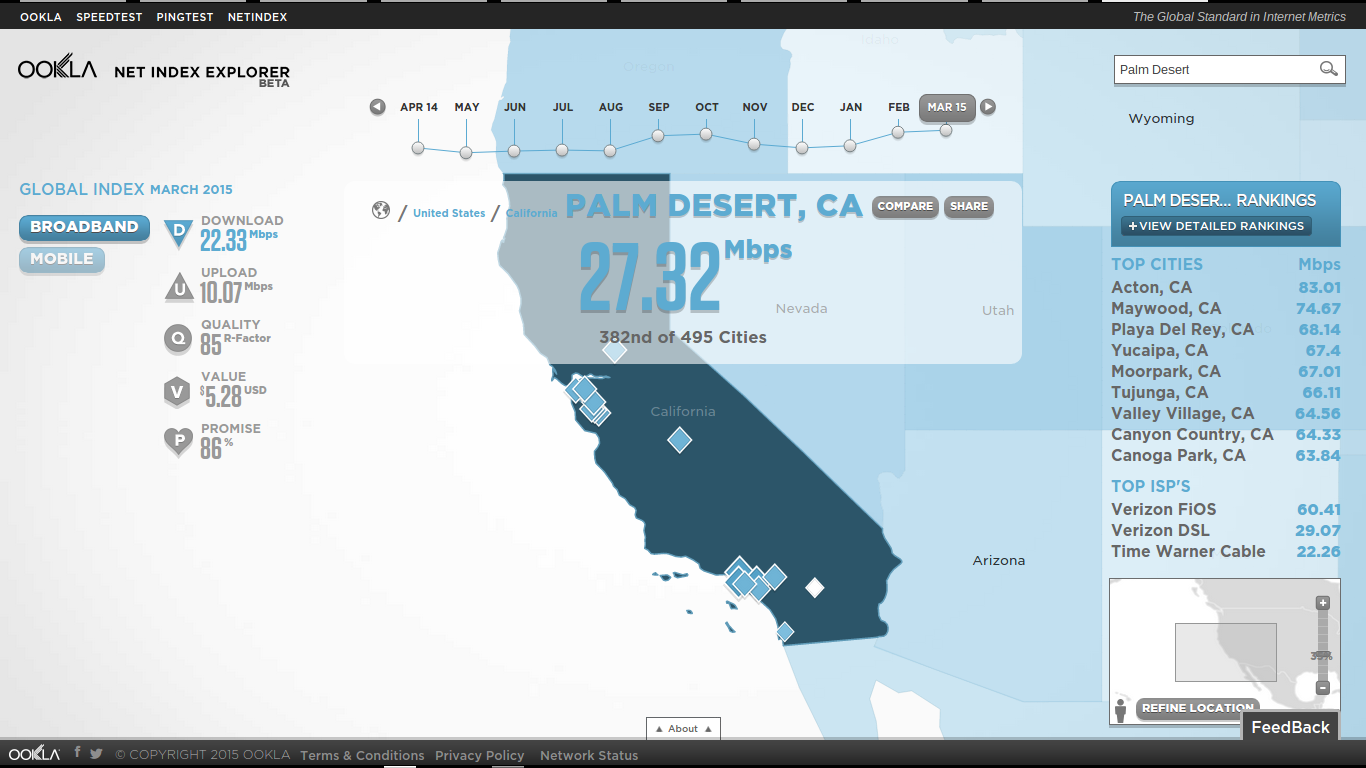
You can also see “Top ISP Speeds:
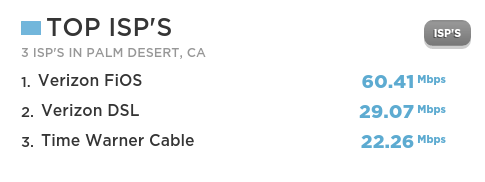
Step 4: Now that you know what speed you’re paying for and what your hardware is capable of producing, there are a number of things you can do that are likely to make your internet run faster:
- Check that you haven’t exceeded your monthly download allowance. Some ISPs cap internet speeds as a penalty for doing this.
- If possible, always use the master telephone socket for your broadband router.
- Don’t use a telephone extension lead with your router. If it’s unavoidable, use the shortest one you can.
- Make sure that all other telephone sockets in use are fitted with microfilters. Not doing this can result in loss of internet speed and interference on the line.
- Make sure your computer isn’t running any unnecessary applications in the background. This can slow things down considerably. Finding out if it’s happening can be a bit complicated. It might be best to ask an expert for help.
- Make sure your antivirus software is kept up to date. Viruses and adware can slow down your computer and the internet a lot.
- If you’re using WiFi (wireless internet), make sure it’s password protected. Otherwise you could be providing your neighbors with free WiFi!
- If you’re using a laptop with a wireless connection, try using it in a different room or consider using a network cable to connect to the router instead.
I hope these tips enhance the peace and joy in your techie life.
Thoughts or comments about this topic?
Please comment below.
If you would like to receive my weekly tips via email, you can subscribe here.


 The Solution

 Everything will be OK. We’ll do it together.
 The Desert Computer Tutor