Recent Microsoft and Apple Updates – Causing Stress And Confusion
I’ve had a rash of calls from people complaining that Windows Update is tying up their computers for hours and hours, or that their iPads or iPhones are suddenly looking and acting very differently. Don’t feel bad, I’ve had the same issues!
I knew changes were coming but I didn’t anticipate the upset they would cause. It might have been easier if I had warned you beforehand. You still would have had to deal with the inconvenience but it might have been less shocking. Next time I will give you a heads up.
The Windows 10 Anniversary Update

The Windows 10 Anniversary Update stalled and locked up my computer on two different days. I had to “pull the plug” so I could reboot. On the third try, it tied up my computer for more than six hours! It took over my PC at 6:00 PM, wasn’t finished when I went to bed at 11:00 PM. Fortunately, my main computer is a Chromebook!
Window Update Locking Up Your Computer?
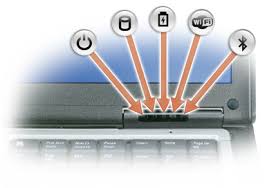
If the Windows update gremlins have taken over your computer and it seems to be all locked up, check to see if the hard drive light is blinking. If it’s blinking, the update is working and you just need to be patient. If it’s not blinking, the system is locked up. You will need to hold down the power button to turn it off. Then turn it back on.
PC Running Slow?
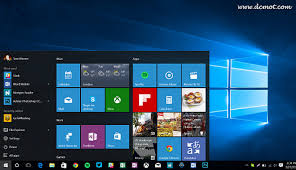
If your PC is running slow, be sure you are up to date on your maintenance tasks. If you are using Windows 10, you can turn off the “live tiles”, and disable Cortana. (Use right click on your mouse to see the options.)
New Features in Windows 10
I didn’t find any of the Windows 10 “new features” to be particularly exciting, but I like things simple.
Microsoft is trying to be more like Apple and Google products. This started with the Windows 8 debacle. Big Mistake! They are way behind and don’t do it well. Let me know what you think in the comments below.
The Edge web browser still isn’t as good as Google Chrome or Firefox.
On the positive side, Windows 10 is a more stable and secure operating system.
If you need help with the update, new features or maintenance, just let me know.
The Apple iOS 10 update (A much better experience than with Microsoft) 
A message appered, letting me know that an update was available and giving me choices of “install now” or “remind me later.” (I always wait a couple of weeks, until I’m sure that any glitches have been fixed.)
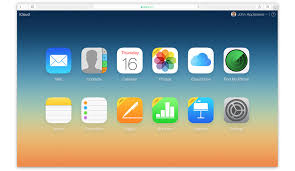
In the software update screen, above the “Install Now” button, there was a brief introduction with an explanation of the reason for the update and a complete list of all the new features–in plain English!
I agreed to the terms of service and the update screen showed me a brightly lit screen with the Apple logo and a bar indicating the progress of the update. (No wondering what’s going on, no locking up.)
Things look a little different but there are some very practical and useful new features. The best one is that my fingerprint on the button works much better and I don’t have to swipe to get past the lock screen. I have to laugh because I’m still swiping after several days. Old habits die hard don’t
Let me know what you think in the comments below. I’ll tell you my faves if you’ll tell me yours….
Why are there fewer problems with Apple?

One main reasons there are fewer problems with Apple products, is that Apple controls both the hardware and the software, whereas Microsoft is in control of only the software.
Microsoft’s new operating system has to be compatible with hardware from many different manufacturers, machines that are very old, and machines that have software from other companies that can cause conflicts.
When Apple’s operating system becomes a problem for their old hardware, they just let you know that your device has become obsolete and you’ll have to buy a new one. This is not good news, but it prevents you from limping along and being constantly frustrated.
It’s not your fault

These issues are not the result of anything you have done. Technology is a full time job for me and I can barely keep up myself! My mission is to keep things simple, easy and fun for you in spite of the constant changes. Please let me know if you are having trouble. If you have any questions, need tech support or moral support, I’m here for you.
You Can Help Others
Please share this to others so they can get help too.
If you received this from a friend and would like to receive all my Techie Tips directly, you can sign up here.
 Looking forward to knowing what you think.
Enjoy!
Mardi Boettcher
760 3 4tutor


 The Desert Computer Tutor