Tag: consultation

  • Are you wondering if you should upgrade your OS?

    There are major changes happening with computer and mobile gadget operating systems and it’s my mission to make it easy for you to keep up and enjoy the many benefits.

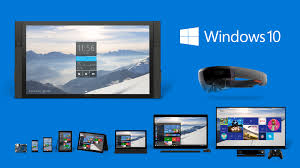
    One of my clients received an email from Microsoft offering a free upgrade to Windows 10 and she wanted to know if I thought it would be better or worse than her Windows 8.1.
    windows 10

    I told her, that it’s too soon to tell.  I recommend that people wait until it has been on the market for at least a year to give them a chance to correct any problems.  There are always bugs and fixes that need to be done with any new software.

    There are many improvements and some neat new features, but we’ll shall see….

    If you are interested in knowing about the new features of Windows 10, Click here.

     Yosemite

    Apple also has a new operating system for it’s computers. It’s been available for quite some time and Apple has issued several important updates.  It’s called OS X Yosemite and it has a lot of cool new features.  If you want to learn more about it click here.

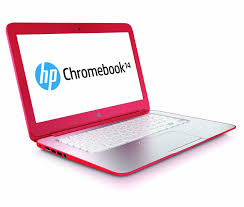
    Chromebook

    I’m still really enjoying my Chromebook.  A Chromebook is a laptop of a different breed. Instead of Windows or Mac OS, Chromebooks run Google’s Chrome OS. These machines are designed to be used primarily while connected to the Internet, with most applications and documents living in the cloud and they are much less expensive than other computers.

    If you are thinking about buying a new computer, smart phone or tablet, you might want to consult with me first. In my tutoring, I have the opportunity to play with many kinds of devices so I can give you some good information about their advantages and disadvantages.  I’m proud to say that many of my clients have saved a lot of money and avoided a lot of frustration by consulting with me before they purchased.
    If you buy a new device, have me give you an orientation so you can get up and running quickly and easily. I read the owners manuals and take online classes so you don’t have to.  (“It’s a tough job but somebody has to do it.”  LOL)

    If you found this information helpful, please share it.  


    Enjoy!

    Mardi

  • Convenient & Affordable New Service for You!

    Convenient & Affordable
    New Service for You!join.me

    From time to time, clients have said they wished they could have me on a “retainer” to answer a quick question or get them out of a jam.  We have discussed a subscription service where people would pay a monthly fee, but most people wouldn’t need help every month. This week, the subject came up again and my clients said they would love to be able to “pay as needed”  They suggested that I charge $60 hr. (to keep the math simple) and bill in 15 min increments (to make it worth my time).  I thought it was a great idea and a real win-win solution. I’m excited to be offering this this as a new service.

    I will be happy to answer your questions on the phone, by remote access into your computer, or by email. This is a great option for people who need some help, but don’t need a whole one-hour appointment in their home.  Bring me all those niggling questions and frustrations and let’s get you back to full enjoyment of your techie tools.  Call me today for an appointment!

  • iPhone VS Android — “The Boys Slug It Out For Another Round”

    iPhone Vs Android
    “The Boys” Slug It Out For Another Round

    Apple and Google went for another round in the competition for market dominance this week as Apple launched it’s larger iPhone 6 models and its iOS 8 operating system for all its gadgets.

    iOS 8 has has some very cool new features and I noticed that many of them are features that Android phones have had for a long time.  (I have used both and currently use an iPhone.)  My son, Jason, who is convinced Android is far better than iPhone and hated to see me switch, sent me this hilarious joke about the news.

    Reaction to the iPhone 6 and iPhone 6 Plus has been lukewarm. Many have accused Apple of playing catch up with rivals such as Samsung, rather than leading the way. An image titled 'Dear iPhone 6 users: Welcome to 2012' has gone viral, (pictured) which lists new Apple features that have existed on Android phones for years

    I asked Jason if he thought I should wait to install the update until the bugs are worked out and the app developers have more time to fix their apps to work with it, and he said,

    Jason Griswold's profile photo

    “Nah, that’s for normal people, we are in tech…we live to have our world turned upside down.”

    He’s so funny!  But it’s true.  I love the challenge, the adventure and being able to make your transitions easier by sharing my experience.

    Who do you know that…

    • Is trying to decide whether to buy an Android gadget or an Apple gadget
    • Needs help with updating to iOS 8
    • Wants a tutorial on the changes and new features or
    • Wants to learn more about their Android phone

    Please let me know so I can help them “make peace with the ups and downs of computer technology.” 

  • Amazing Uses for Photos

    Amazing Uses for Photos

    This past week I did a lot of instruction in photo management and it wasn’t with vacation photos as you would expect for this time of year.  Of course, the techniques are the same but it’s amazing how many interesting things clients are doing with photos.

    Even more important to me, is that three wonderful clients have a more positive attitude toward technology and their ability to use it.  They are excited with the work they have accomplished, are eager to do more and are using technology to build their businesses.  These success stories light up my life and I’m so grateful for the opportunity to help.

    53885 Avenida Martinez, La Quinta, CA 92253 Photo 1

    Marcia, a busy Realtor learned how to get photos from her camera to her computer automatically, and how to quickly upload professional listing photos from her photographer’s website to her listing in the MLS.

    Marnell relaxes at home.

    Marnell, an enthusiastic, Yoga instructor learned how to get photos from her smartphone into her computer, upload the photos to her Facebook page, her Twitter profile and her business website, and use Google images to get the logos for her Chair Yoga class. YogaWithMarnell.com

    Fairy Taking A Bath

    Mahara, a gifted artist, learned how to create an online portfolio for 80 amazing and beautiful fairy paintings, and send it to a publisher.  Best of all, she gained confidence in her ability to use technology. She is feeling really good about her accomplishments instead of feeling afraid she wouldn’t remember how to do it.  She has uploaded additional pictures on her own and shared her portfolio with friends.  Now she is prepared to share her art with the world, and, hopefully, make some income from it.  So exciting!

    Would your life, or the life of someone you care about, benefit from learning about photo management?   I’m here to help and I promise to make it as easy and enjoyable as possible. Call or email me ASAP.  You’ll be glad you did. (And I always send a thank you gift for your referrals.)

    Looking forward to hearing from you…

    In Joy,

    Mardi

  • I teach online dating technology

    Love is in the air!  Recently, I’ve been honored to help two clients set up their online dating profiles and learn how to use dating websites.

    Actually, I’ve done this many times before, including taking photos of clients in various attire and teaching them how to upload the photos to their profiles. (Professional photos are better.  I recommend Jim Oliveri )

    I’ve made quite a study of online dating, including taking some online courses and using the sites myself, so I’m able to share some great tips that will make the experience more effective and more fun.

    Who do you know that wants to find the love of their life? Let me help them harness the power of modern technology to make it happen.  When done right, it really works.  Forward this email to them or have them call me at 760-3 4tutor.

  • Pre-purchase Consultation Questions

    One of my services is consulting with people to help them choose the best computer or gadget for their individual needs.  So much frustration can be avoided by buying the right product in the first place, and I have already test-driven quite a few of them in order to pave the way for others to have a more pleasant experience.  See my previous posts for the gruesome details.  LOL

    Here are the questions I use for my consultations.  Please forward this to your friends and relatives so they will have it when they are considering a computer or gadget purchase.   They will thank you for it.

    1. What is your budget?

    2. What is the size of the notebook that you are considering?

    3. What screen resolution do you want?

    4. Do you need a portable or desktop replacement laptop?

    5. How much battery life do you need?

    6. Do you want to play games with your laptop? If so then please list the games that you want to with the settings that you want for these games. (Low, Medium or High)?

    7. What other tasks do you want to do with your laptop? (Photo/Video editing, etc.)

    8. How much storage (Hard Drive capacity) do you need?

    9. If you are considering specific sites to buy from, please post their links.

    10. How long do you want to keep your laptop?

    11. What kind of Optical drive do you need? DVD ROM/Writer, Blue Ray ROM/Writer, etc ?

    12. Please tell me about the brands that you prefer and the brands that you don’t like and explain the reasons.

    13. What country do you live in?

    14. Please tell me any additional information if needed.

    Additionally… you should consider available support options in your area. If you buy something abroad, will you be able to have it fixed near where you live? Does the warranty apply? How quickly do local accredited technicians fix laptops?

  • Presentations for Service Groups and Clubs

    I love to share about my work, so I’ve started doing speaking engagements for groups.  I will be speaking at two Rotary Club luncheons in May.

    If you are a member of a group that would like me to do a presentation, please let me know.  Some topics that might be of interest:  “An overview of the latest computers or Gadgets,” “What is The Cloud and Why Should I Care?”,  “Do I Really Want or Need a Tablet?”

    Tell me your suggestions for topics in the comments below.

    Thanks,

    Mardi

  • Strike Three and They’re Out

    I am without a new computer!  After trying out three machines, I gave up! (For the time-being at least…if you know me, you know it probably won’t last long.  LOL)

    I dumped some applications on my trusty, very old, souped up, bionic Dell Inspiron E1505 and it’s stopped whining about it’s memory.  My world is peaceful once again.

    The Yog2 Pro 2 was unwieldy.  Darn, double darn!….I wanted to like it so much, but I was just tense all the time, struggling with teeny tiny tabs on the web browser,  my fingers missing the keys on the chicklet keyboard, and the touch screen not working with various programs.  I took it back to Best Buy and they were very gracious.

    I took home a Lenovo Idea pad and after much tweaking, customizing, disabling of features and dealing with it dropping my WiFi connection repeatedly….I called it quits.  I took it back and decided to just lay low, let the dust settle and wait for the manufacturers and developers to get their sh**t together.

    No one should have to go through all this to get comfortable with a new machine.  And it’s not just me…in my research to find solutions, I discovered that other consumers are having the same issues.  I won’t bore you with all the gory details here, but suffice it to say that “the boys” are going to have to get on the same page and play together nice before I jump into the game again.  If it’s this frustrating for me (the lover of almost all things techie), imagine what it’s like for the average person!

    On the positive side, most people are not trying to do all the things I do on the computer, so if you absolutely must get a new machine, talk to me first and let me advice you about the best solution for your particular needs.  I do consultations and shopping trips and I can tweak and disable things to make the transition more comfortable for you.

    It’s been a hectic three weeks, but I’ve learned a lot that I can share and that makes me a happy girl.  I took the hits so you don’t have to and it’s my greatest pleasure to be able to help.

    In Joy…no matter what,

    Mardi


  • My New Computer

    My old computer was running out of memory and my web browser was crashing.  I needed “bigger, faster, stronger” badly.  After much research on line and some field trips to Best Buy, I ordered a Dell Inspiron 15″ 7000 Series that was similar to my very, very old Inspiron 1500e.  It was a lot of power for the money ($649 on special) but it turned out to be too big and bulky.  Many companies are making the laptop screens wide for movies and adding number key pads to the keyboard, which I don’t need or want.  It was a little bit lighter than my old one, but it felt heavier because of the size.

    The tracking pad was very squirrely and frustrating too.  I have since learned that track pads have been re-designed to allow finger gestures like the motions one uses on touch screens.  So this is partly a Windows 8 issue.  Maybe one can get used to it, but I’ve observed that most of my clients use a mouse.  Now I understand why I have so much trouble with my clients laptop track pads!  So….I’m sending the Dell back…too big, too heavy, disappointing web browsing speed, and a miserable squirrely touch pad.

    A part of me wanted a Lenovo Yoga Pro 2.  It converts to a tablet, is small and lightweight, and has all the power (and price, $899 ) of a higher-end laptop.  It also can be put in stand mode or tent mode.  Here is a link if you want to see it.   http://vimeo.com/73485706    I wasn’t sure if I could live with a 13″ inch screen so I went to Best Buy to look at it again (third time’s a charm) and I decided to try it.  I think I can get used to the 13 inch screen…if not, I can get a 20 TV with DVD player for $189 or internet TV for $199 and use it as a monitor.

    The touch pad doesn’t have all the gesture features and feels more like my old computer’s but it’s a little sensitive and I keep making mistakes.  Apparently this is partly a function of applications not being re-designed properly for touch screen use.  That will be changing in the near future.  Thanks again Microsoft for rocking our world with Windows 8. I’m telling the “honest to gosh” truth when I tell frantic clients, “I’ve been there and I feel your pain.”  My life has been upside down this past week with all the research, set up, customizing, downloading, and getting used to all the changes.  Playing with new gadgets makes me a happy girl…except when I’m in a hurry and need to get some work done.

    So far, I like it…very fast, only 3 lbs., and small enough to fit in a large purse. I plan to take it everywhere, so you’ll be able to see it next time we get together.   “Stay tuned folks, we’ll have film at 11:00” LOL

    I”m praying for the patience and strength to get through the return process with Dell.  May it be better than the ordering process which was a freaking nightmare.  I do not recommend doing business with Dell.  Their call centers  have no integration of departments and apparently there are no customer files for reps to access.   I feel sorry for the customer service reps who try their best to please, but are handicapped by the primitive call center infrastructure.  Be kind, it’s not their fault and I’ll bet they take a lot of abuse from irate customers.  If you ever want a Dell computer, buy it from Best Buy in Palm Desert.  I always get great service there.

    Don’t assume that you have to spend this much money on a computer or tablet.  As I always say, it depends on what you plan to do with it.  I do a lot of research and web based work and need considerable power .  There are many less expensive gadgets available for the less intense user.  You might want to make an appointment with me for a consultation and/or field trip to Best Buy.  I can usually help people save a lot of money.

    If you still use Windows XP you will need to upgrade before May.  Microsoft will not be doing anymore updates after that and your computer will be a big security risk.  So start planning and budgeting for a new machine now.

    Your computing life will be much more enjoyable when you have up-to-date equipment that can handle the demands of modern applications.  So go for it.  You’re worth it!