Tag: Computer Tutor

  • Are you wondering if you should upgrade your OS?

    There are major changes happening with computer and mobile gadget operating systems and it’s my mission to make it easy for you to keep up and enjoy the many benefits.

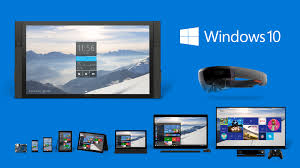
    One of my clients received an email from Microsoft offering a free upgrade to Windows 10 and she wanted to know if I thought it would be better or worse than her Windows 8.1.
    windows 10

    I told her, that it’s too soon to tell.  I recommend that people wait until it has been on the market for at least a year to give them a chance to correct any problems.  There are always bugs and fixes that need to be done with any new software.

    There are many improvements and some neat new features, but we’ll shall see….

    If you are interested in knowing about the new features of Windows 10, Click here.

     Yosemite

    Apple also has a new operating system for it’s computers. It’s been available for quite some time and Apple has issued several important updates.  It’s called OS X Yosemite and it has a lot of cool new features.  If you want to learn more about it click here.

    Chromebook

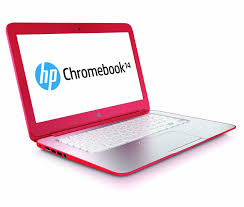
    I’m still really enjoying my Chromebook.  A Chromebook is a laptop of a different breed. Instead of Windows or Mac OS, Chromebooks run Google’s Chrome OS. These machines are designed to be used primarily while connected to the Internet, with most applications and documents living in the cloud and they are much less expensive than other computers.

    If you are thinking about buying a new computer, smart phone or tablet, you might want to consult with me first. In my tutoring, I have the opportunity to play with many kinds of devices so I can give you some good information about their advantages and disadvantages.  I’m proud to say that many of my clients have saved a lot of money and avoided a lot of frustration by consulting with me before they purchased.
    If you buy a new device, have me give you an orientation so you can get up and running quickly and easily. I read the owners manuals and take online classes so you don’t have to.  (“It’s a tough job but somebody has to do it.”  LOL)

    If you found this information helpful, please share it.  


    Enjoy!

    Mardi

  • Crapware

    Crapware:

    Why manufacturers install it, what you can do about it, and why it’s not going to go away   Based on an article by Adrian Kingsley-Hughes  http://www.zdnet.com/

    Crapware, also know as “bloatware” or “junkware,” are apps that hardware companies install onto their devices on top of the operating system (OS).  It’s a bunch of free trials and demos that nag you to buy the full version. Most annoying to me, is when you start using the app, not realizing that it’s a free trial, and then find out that you have to pay in order to continue accessing the work you’ve done.
    snailThe worst consequence is that crapware can dramatically slow down system performance or even compromise your system’s security. I frequently see relatively new computers running slow because of the weight of the crapware that has been installed on them. They run great once all the junk is removed. One has to wonder about the number of people who spend hard-earned money on a PC only to end up getting a third-rate experience because of crapware.
    Furthermore, many of these dissatisfied PC owners may end up blaming “Microsoft” or “Windows” for the performance issues, when the real problem is that the manufacturing company took money from third-parties to fill their computers with junk.
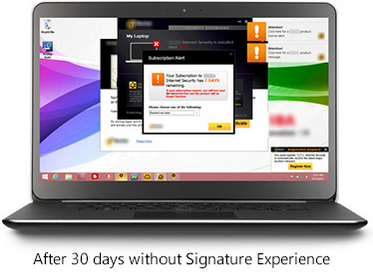
    Microsoft is well-aware of this.  It’s now offering Signature which is free from the clutter that “can slow down your computer and junk up your Start screen or desktop.”  See it here
    Screenshot 2015-03-07 at 1.35.12 PMScreenshot 2015-03-07 at 1.36.27 PM

    If you ask the hardware makers why they install this stuff, they’ll tell you they are offering you extra value. That’s a lie.  They do it because they make money for doing it. Except for Apple products, computer profits are very thin. Hardware makers are happy to install junk onto new systems in exchange for a few extra dollars.

    Photo courtesy of www.kitguru.net
    photo.apple_.windows.crapware (1)


    Eradicating crapware from Windows PCs isn’t easy, and when it comes Android smartphones and tablets it can be almost impossible.  There are tools out there for the PC such as PC Decrapifier and CCleaner that do a reasonable job of cleaning a system, but they’re far from perfect.


    The purveyors of crapware have become wise to these tools and take deliberate steps to make it difficult. It’s best to call my friends at Desert Cow Computers. www.mydesertcow.com

    desert cow computers

    Hardware manufacturers operate in a cutthroat business environment and crapware can make the difference between almost no profit and a little profit, especially on budget systems.  Perhaps you will decide to stay away from budget systems now.
    Microsoft offers the Signature range of PCs and Google sells Nexus-branded devices, These products are free from crapware. If you’re looking for a pure Windows or Android experience, then this might be worth investigating.  Another option is to switch to Apple or Chromebook.

    nexus

    If more people complain or vote with their feet by purchasing crapware-free products, perhaps equipment manufacturers will be persuaded to make crapware easier to remove.

     
    Thoughts or comments about this topic?  Please comment below.  Thanks!

  • Convenient & Affordable New Service for You!

    Convenient & Affordable
    New Service for You!join.me

    From time to time, clients have said they wished they could have me on a “retainer” to answer a quick question or get them out of a jam.  We have discussed a subscription service where people would pay a monthly fee, but most people wouldn’t need help every month. This week, the subject came up again and my clients said they would love to be able to “pay as needed”  They suggested that I charge $60 hr. (to keep the math simple) and bill in 15 min increments (to make it worth my time).  I thought it was a great idea and a real win-win solution. I’m excited to be offering this this as a new service.

    I will be happy to answer your questions on the phone, by remote access into your computer, or by email. This is a great option for people who need some help, but don’t need a whole one-hour appointment in their home.  Bring me all those niggling questions and frustrations and let’s get you back to full enjoyment of your techie tools.  Call me today for an appointment!

  • Do You Reboot?

    Do You Reboot?

    Network Neurons 1

    Your Techie Tip for this week is to turn your computer completely off at least once a week.  The reason this is important is that its memory gets too full and it’s likely to slow down or get confused.
    (Just like us!)

    During the shutdown process, it files everything away where it belongs and dumps extraneous stuff from the memory.  Kind of like we do when we get a good nights sleep.  Then, when it restarts (reboots), it checks all its systems, corrects any errors, and installs updates.  The installation of the updates is critically important because there are security fixes (patches) in them.

    Asleep 3Your computer is set to go to sleep after a certain period of non-use, and the screen may go dark, but that is not the same as shutting down.  So please choose one night a week to give your machine a complete break and an opportunity for a fresh start in the morning.

    This applies to your tablets, smartphones and other gadgets too.  

  • Amazing Uses for Photos

    Amazing Uses for Photos

    This past week I did a lot of instruction in photo management and it wasn’t with vacation photos as you would expect for this time of year.  Of course, the techniques are the same but it’s amazing how many interesting things clients are doing with photos.

    Even more important to me, is that three wonderful clients have a more positive attitude toward technology and their ability to use it.  They are excited with the work they have accomplished, are eager to do more and are using technology to build their businesses.  These success stories light up my life and I’m so grateful for the opportunity to help.

    53885 Avenida Martinez, La Quinta, CA 92253 Photo 1

    Marcia, a busy Realtor learned how to get photos from her camera to her computer automatically, and how to quickly upload professional listing photos from her photographer’s website to her listing in the MLS.

    Marnell relaxes at home.

    Marnell, an enthusiastic, Yoga instructor learned how to get photos from her smartphone into her computer, upload the photos to her Facebook page, her Twitter profile and her business website, and use Google images to get the logos for her Chair Yoga class. YogaWithMarnell.com

    Fairy Taking A Bath

    Mahara, a gifted artist, learned how to create an online portfolio for 80 amazing and beautiful fairy paintings, and send it to a publisher.  Best of all, she gained confidence in her ability to use technology. She is feeling really good about her accomplishments instead of feeling afraid she wouldn’t remember how to do it.  She has uploaded additional pictures on her own and shared her portfolio with friends.  Now she is prepared to share her art with the world, and, hopefully, make some income from it.  So exciting!

    Would your life, or the life of someone you care about, benefit from learning about photo management?   I’m here to help and I promise to make it as easy and enjoyable as possible. Call or email me ASAP.  You’ll be glad you did. (And I always send a thank you gift for your referrals.)

    Looking forward to hearing from you…

    In Joy,

    Mardi

  • Avoid Printer Drama

    Do Moon Phases Affect Printers?


    Do the phases of the moon affect techie gadgets?  This past week was so full of printer drama that I had to wonder…

    Here are some tips that will help you maintain peace in your techie world:

    1. If you need to move your printer, be sure to turn it off first.  Shut it down with the off button rather than just unplugging it.  Printers are are actually computers and they need to file everything in it’s proper place before shutting down.  If you just unplug them, they may wake up very confused and not be able to connect to your wifi again.

    Note: your printer may look like it’s off, but only be sleeping.  If there is a light on anywhere, it is just asleep.  Use the on/off button to turn it off.

    1.  Sometimes there are minor power surges or mysterious techie hiccups that confuse our machines.  The first line of defense is always to reboot them. (turn them off and then back on)  If your printer loses its wifi connection, turn it off, wait a minute or two, and then turn it back on.  Hopefully, it will find the router and reconnect on its own.  If not, you will have to go through the setup process again.

    Note:  I’m not a certified Technician, I’m an Instructor and Peace Maker.  For technical issues and installations, I refer you to my friends at Desert Cow Computers.

    1. Hp is offering an “Instant Ink” service with some of its new printers.  These printers connect directly with HP, let them know when you need new ink cartridges, and HP mails you ink cartridges automatically.  You pay a flat monthly fee, depending on how many pages you print each month.  Unused pages roll over to the next month.  HP description of program   It looks like this service is less expensive than buying ink at the store.  Review I have one client who is on the program.  We’ll let you know how it goes.  If you are using this service, I would love to hear from you.

    Chromebook Update: I am not happy about printing from my Google Chromebook without a “cloud-enabled” printer.  I didn’t buy a cloud-enabled printer because I had just bought a new printer last year and thought it would be a good idea to test the alternative method offered by Google.

    My Chromebook has to print via my old computer which is connected to my printer via my WiFi network.  Therefore, my old computer has to be on in order for my Chromebook to print. I find this very inconvenient.

    Fortunately, I can access docs from my Chromebook and smartphone, so I don’t need to print very often.  Have me show you how to do this.  It’s great!

    If you buy a Chromebook, you may want to buy a cloud-enabled printer for it.  If your current printer is connected directly to your computer and is not on a wifi network, you will definitely need to buy a cloud-enabled printer.  Fortunately, you can get one for less than $100.

    By the way…I’m really enjoying my Chromebook in all other respects.  It’s a great solution for a lot of people and I highly recommend it.  I carry it with me during the day and can get a lot more accomplished between appointments than working from my smartphone.  I’ll be delighted to share it with you at our next appointment.  

  • I teach online dating technology

    Love is in the air!  Recently, I’ve been honored to help two clients set up their online dating profiles and learn how to use dating websites.

    Actually, I’ve done this many times before, including taking photos of clients in various attire and teaching them how to upload the photos to their profiles. (Professional photos are better.  I recommend Jim Oliveri )

    I’ve made quite a study of online dating, including taking some online courses and using the sites myself, so I’m able to share some great tips that will make the experience more effective and more fun.

    Who do you know that wants to find the love of their life? Let me help them harness the power of modern technology to make it happen.  When done right, it really works.  Forward this email to them or have them call me at 760-3 4tutor.

  • Do You Need A Tablet?

    Image

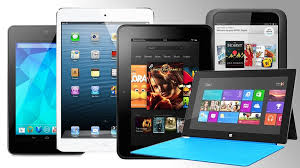
    There are so many people using tablets now that it’s hard to believe that it’s only been four years since the first iPad came on the scene.  Some analysts think tablets will outsell laptops soon.  So the question is, do you want one and if so, do you want an Apple or an Android model?

    Having just done considerable research before purchasing my new laptop, I have reached a few conclusions.

    Tablets are good for consuming information on the go.  The screens are bigger than smart phones and they have more processing power and storage capacity than smart phones.  (My iPhone ran out of storage space the minute I synced my iTunes music library and I had to delete a bunch of files.)   My Android phone runs a little slow at times.  I think it’s straining under the load of all those apps multi-tasking.  The teeny tiny keyboards on both products drive me nuts and neither Siri nor Google voice seem to understand me.

    Tablets offer a more portable and comfortable way to check email, view web pages, watch movies, listen to music, play games or view maps and reports for work.  However, if you spend a considerable amount of time creating information, like blogging, writing reports and longer emails, you won’t be happy with a touch screen keyboard.  Of course you can add keyboards to tablets, but that increases the weight and makes it into a mini laptop which sort of defeats the purpose, if you ask me.  I find the small screens restrictive and I had a hard time getting used to the small the keyboard on my Asus tablet.

    Therefore, I use my smart phone for navigation, and to check emails, texts and voice mails to see who needs immediate attention.  I leave everything I can, until I get back to my laptop with it’s nice crunchy full-size keyboard and 15 inch screen.

    So, consider what you are going to want to do with a tablet.  You probably don’t need one.

    However, you may want one.  If you decide to jump in, you will have to choose a camp…LOL…Apple, Android, or Microsoft.  I won’t go into the myriad of choices here…there are so many and they change all the time.  Suffice it to say, that if you use a Mac computer, your life will be simpler if you get an iPad; and if you use a PC, you will be happier with an Android or Microsoft product.  Some people like the simple look of the apple product and find them very easy to learn and it is possible to sync iPads (and iPhones) with PCs.  I do it with clients all the time.   But just be aware that “the boys” are very competitive and don’t like to play together nicely, so you may need my help.

    I’m always happy to do pre-purchase consultations and/or shopping trips.  It makes me so happy to be able to save clients tons of money by preventing them from buying expensive gadgets and bells and whistles that they don’t need.

    I’m always grateful for the opportunity to see you and help in any way I can.

    If you have found this information helpful, please feel free to forward this to others.  Your referrals are the heart of my business and I really appreciate you.

    In Joy,
    Mardi

    “Restoring peace and joy to the world through computer and gadget education.”