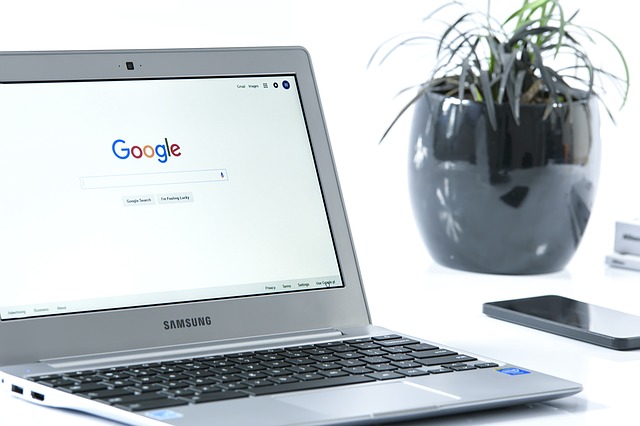
I received an email from clients who are considering some Black Friday deals on Chromebooks. They asked really important questions that you might have also so I got their permission to share them with you.
We are looking for a portable laptop with a keyboard. Touch screen 14 plus screen size. We primarily want to use it to read the news, Facebook, emal and internet. (We will still use the Windows PC for bigger projects.) We are thinking of a Chromebook (Black Friday deals) and have these questions:
1. What brands do you recommend?
All the brands are fine. I pay more attention to the specifications. Do you want a metal case or is plastic fine? That will depend on how much you’re going to cart it around and the aesthetics that are important to you. An inexpensive HP Chromebook with a plastic case is totally adequate for most people.
2. How much memory/ hard drive space?
You only need 4GB of memory for surfing working on the internet unless you are doing video editing or creating web pages.
You only need the minimum hard drive space because you’re working on the internet and not downloading a lot of files or storing files on the computer.
3. Which is a better processor, Celeron, i core, etc?
All the processors will probably be fine for what you’re planning to do.
You would only need a very fast processor if you were editing videos, building web pages, playing video games or using a lot of tabs at the same time. Celeron processors are fine in most cases, Intel Core i3 will be faster to load pages but may not be worth the extra cost. I look at the speed in the specs and look for the least expensive Chromebook that has 4 GB of RAM and more than 2 GHz processor speed rather than the brand of the processor.
4. Should get one with wi fi 6?
Wifi 6 is already out of date. There is a newer version and you would need a wifi 6 router. It’s on the horizon but you don’t need it now. Here’s Leo LaPorte on the subject.
5. What USB ports? How many? What kind?
The ports that are offered are fine in most cases.
What would you be plugging into it?
- A mouse?
- A flash drive to transfer a file or two?
- An external optical drive for playing CDs or DVDs?
- An additional external monitor or keyboard? (Some people, like you, use laptops as desktops and need external things plugged in.)
- Charging a phone or other device? (Pretty slow, I don’t recommend it.)
6. Can you use Office Libre, Open Office on a Chromebook?
No, you can’t run any software on the computer itself but there are online versions for almost all programs now. You can use all the Microsoft Office Suite programs online (Office 365) or use Google Docs. Office online is only $69/yr. and there’s a free online version of Word. Google Docs, Sheets (spreadsheets like Excel) and Slides (presentations like PowerPoint) are all free. Also, you can edit Microsoft Office Docs with Google Docs and convert them back and forth. Even QuickBooks and Adobe Photoshop are available as online versions.
7. Can you transfer files from current laptop to Chromebook?
That’s not necessary because all your files should be backed up to the cloud and you access them and work on them on the cloud. (If you use Google docs you will see links on the computer that will take you there so you can launch them from the computer, but you’re still working on the cloud.)
8. What about end support dates for Chromebooks 2028?
That means you won’t be getting operating system updates after that date and the Chromebook will be obsolete at that time. Things change really fast so the hardware will need to be replaced in order to keep up. Computer years are like dog years. LOL The same thing happens with Apple products.
Costco has: Asus 14 inch touchscreen 4 GB, 128GB for 499.00 before 11/30.
Will you use the touchscreen? You don’t need 128 GB of storage. I would not recommend spending anywhere near that much for a Chromebook!
Amazon $442. Lenovo Chromebook Flex 5 13″ Laptop, FHD (1920 x 1080) Touch Display, Intel Core i3-10110U Processor, 4GB DDR4 Onboard RAM, 64GB SSD, Intel Integrated Graphics, Chrome OS, 82B80006UX, Graphite Grey
Will you use the touchscreen? Do you need that high a resolution screen for gaming or watching movies? Most of us end up reducing the screen resolution in the settings to make things bigger. You don’t need a Core i3 processor. I think you and Gary will find the 13’ screen to be too small.
These are all higher-end Chromebooks than you really need. They are being offered at a discount because they are more expensive and the profit margin is better for the sellers. Or they are clearing out older models. There’s very little profit for the sellers with the lower end computers. Costco doesn’t sell the lower end Chromebooks anymore.
I have used a $223 13” Chromebook for 4 years and I still love the smaller size and light weight. I recently upgraded to a beast for $800 but only because I was doing web pages with graphics, creating videos and I use a lot of web pages at the same time. I needed speed. It’s much faster but It’s heavy on my lap. I never use the touch screen or the flip to tablet mode. (14” is way too big for tablet mode. LOL) These features were included and I wouldn’t have chosen them if there had been a more basic version with the same 8 GB of RAM and a Core i5. Tent mode is for watching movies or doing one on one presentations for business, neither of which I’m doing. 14 inches is a nice size for laptop mode but 13” is fine with me too. I do a lot of research and writing so I don’t really need a large screen or high resolution. The screen is kind of grey and not very clear and I really don’t like it but the other option at the time was a Google Pixelbook for $1200 and I wasn’t willing to spend that much.
The bottom line is that most of my clients get Chromebook they are very happy with for between $220 and $299. Look at all the choices here for under $300!!! Just be sure you get a 4GB and the fastest processor for your budget.
These Black Friday sales are offering you bells and whistles you don’t need and at prices that are still pretty expensive for operating the simple Chrome operating system and doing simple tasks online.
People who don’t understand how Chromebooks work might think these are great deals because they are accustomed to paying so much for Windows Computers so I’m really glad these smart guys asked these great questions and I appreciate them allowing me to share my answers with you.
Let me know if you have any questions.
Have a very Happy Thanksgiving.
Here’s to keeping life simple, easy and fun!
Enjoy!
Mardi Lynn
Desert Computer Tutor
P.S. Know someone who would benefit from this info? Forward this email and encourage them to contact me, mardi@desertcomputertutor.com for a subscription. Thanks!








 The Desert Computer Tutor