
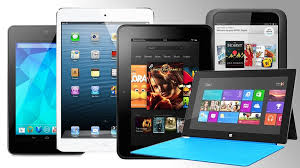
There are so many people using tablets now that it’s hard to believe that it’s only been four years since the first iPad came on the scene. Some analysts think tablets will outsell laptops soon. So the question is, do you want one and if so, do you want an Apple or an Android model?
Having just done considerable research before purchasing my new laptop, I have reached a few conclusions.
Tablets are good for consuming information on the go. The screens are bigger than smart phones and they have more processing power and storage capacity than smart phones. (My iPhone ran out of storage space the minute I synced my iTunes music library and I had to delete a bunch of files.) My Android phone runs a little slow at times. I think it’s straining under the load of all those apps multi-tasking. The teeny tiny keyboards on both products drive me nuts and neither Siri nor Google voice seem to understand me.
Tablets offer a more portable and comfortable way to check email, view web pages, watch movies, listen to music, play games or view maps and reports for work. However, if you spend a considerable amount of time creating information, like blogging, writing reports and longer emails, you won’t be happy with a touch screen keyboard. Of course you can add keyboards to tablets, but that increases the weight and makes it into a mini laptop which sort of defeats the purpose, if you ask me. I find the small screens restrictive and I had a hard time getting used to the small the keyboard on my Asus tablet.
Therefore, I use my smart phone for navigation, and to check emails, texts and voice mails to see who needs immediate attention. I leave everything I can, until I get back to my laptop with it’s nice crunchy full-size keyboard and 15 inch screen.
So, consider what you are going to want to do with a tablet. You probably don’t need one.
However, you may want one. If you decide to jump in, you will have to choose a camp…LOL…Apple, Android, or Microsoft. I won’t go into the myriad of choices here…there are so many and they change all the time. Suffice it to say, that if you use a Mac computer, your life will be simpler if you get an iPad; and if you use a PC, you will be happier with an Android or Microsoft product. Some people like the simple look of the apple product and find them very easy to learn and it is possible to sync iPads (and iPhones) with PCs. I do it with clients all the time. But just be aware that “the boys” are very competitive and don’t like to play together nicely, so you may need my help.
I’m always happy to do pre-purchase consultations and/or shopping trips. It makes me so happy to be able to save clients tons of money by preventing them from buying expensive gadgets and bells and whistles that they don’t need.
I’m always grateful for the opportunity to see you and help in any way I can.
If you have found this information helpful, please feel free to forward this to others. Your referrals are the heart of my business and I really appreciate you.
In Joy,
Mardi
“Restoring peace and joy to the world through computer and gadget education.”

 The Desert Computer Tutor