I always love hearing from my clients and friends when they have an idea or a question. It keeps me up to speed with your needs and concerns and provides me with the opportunity help others as well. I enjoy doing the research and making the mistakes, so you don’t have to.
Recently I received this email,
 You should check out this offer of free software from Microsoft and Apple. It really works, though it is available from the “Cloud” and is likely a bit slow. I have their version for PC’s on my computer, and I pay $99.00 per year to use it! This version, being free, and downloadable from the Apple App Store, looks worth a shot!
I was aware of this new service and have been meaning to try it. This week I finally had the opportunity. I was very disappointed.
I’m helping a client format his auto biography for self publishing on CreateSpace.com. He wrote it entirely on his iPad! (No, he didn’t write it using the touch screen keyboard. LOL He has a wireless keyboard for it.)
At first I thought we could collaborate on the document using the new iPages for iCloud service but it was sorely lacking in editing tools. (It’s in Beta, or test version.)
 Ever the “Queen of the Work-around”, I copied and pasted the doc into my Microsoft Word app. Next, I signed up for the free month trial of Office 365 online so we could collaborate on the cloud.
Then, I directed my client to download the free Microsoft Office app for iPad. Alas, it only gave him the ability to read the doc!
Microsoft, doesn’t say a word about that in the promotional information online! You have to subscribe to Office 365 and pay a monthly fee in order to have editing capabilities.

My client could have signed up for the free month trial but you know what it’s like to set up a new account with password and credit card info, and you have to put it on your calendar to cancel the service in 30 days before you get billed on auto-pay. I wasn’t going to suggest that he go through all that for one project. So much for “the boys” collaborating on the cloud! We are back to emailing attachments.
It’s a challenge to keep up with all the changes but somebody has to do it. I enjoy doing it and always appreciate your help. Hopefully, sharing my experiences in the field will spare you from wasted time, money and frustration.
 Keep those questions and ideas coming. Remember to consult with me about what you want to accomplish before deciding on what to buy (apps as well as gadgets).
Let me give you an orientation on how to use your new products and services so you can get your work done quickly, easily and efficiently.
Whom do you know that could use my help? I promise to take good care of them. Call me today!
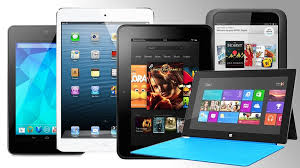
 This week a client asked me if he could watch college football on his new tablet. Yes! “There’s an app for that.” Actually there are a lot of apps available. There are many free and paid options to watch football, soccer, basketball, tennis and other favorite sports.
 You can download an app through “the company store”. (Google Play for Android devices and The App Store for Apple devices.)
 WatchESPN (ESPN Inc) offers live streaming of events from the ESPN, ESPN2, ESPN3 and ESPNU networks. You can enjoy access to events from the NBA, MBL, U.S. Open, The Masters, college football and basketball, Grand Slam Tennis and Euro 2012 Soccer — as well as original ESPN programming like SportsCenter, Pardon the Interruption and SportsNation. WatchESPN is user-friendly, making it easy to search for your favorite teams, leagues and shows.
 CBS Sports (CBS Interactive, Inc.) features a live stream of video of top sports, including NCAA and SEC football games. Scores of games that cannot be streamed live are updated very quickly. CBS Sports also offers on-demand access to game highlights, analysis and original programming, as well as a live Twitter feed of commentary from players, writers, analysts and bloggers. The CBS Sports mobile app features extensive college football coverage including live streaming of some games on Saturday.
 NBA League Pass Mobile allows you to follow the league through live NBA game viewing in addition to on-demand game replays and league highlights. The league Pass costs $16.99 per season and is available through the NBA Game Time mobile app.


 The Desert Computer Tutor