Category: Smart Phones

  • The Joys of Airplane Mode

    Airplane Mode for Travel


    Many of us will be traveling and visiting family this time of year.  Here are some tips to enhance the peace and joy of your holiday season.

    Using Airplane Mode on your smartphone isn’t only useful for flights. The feature can prolong your battery life or allow you to unplug and enjoy some uninterrupted family time. Here are some surprising ways you might want to use it.

    1: During a flight

    Screen shot of Settings for Android

    If you have been on a flight in the last few years, you have heard the constant reminders from the flight attendants to turn off all electronic devices. Once the plane has reached an altitude of 10,000 feet, cell phones can be used in airplane mode.

    To activate Airplane Mode on your phone, simply go into the Settings app and turn it on.  There are shortcuts to do this, depending on the type of phone, (ask me to show you on yours next time we see each other) but this method will work for everyone reading this article.

    Once Airplane Mode is activated, your phone turns off both the Wi-Fi and cellular connections. This means you will no longer be able to make or receive calls, texts, or e-mails, or browse the Internet — anything that requires a data connection will not work while Airplane Mode is activated.

    Wi-Fi can be turned back on and connected to a network while phone is in Airplane Mode.  If you are lucky enough to be on a flight with Wi-Fi, you can turn just the Wi-Fi connection back on and send emails, browse the Internet, or send instant messages.  (Again, just go into the settings app and turn the wifi on.)


    Screen shot of Settings for iPhone

    2: To unplug for awhile

    Airplane Mode is a great way to unplug in order to spend some quality time with your family or just take a break from the beeps that seem to control our lives sometimes.

    Putting your phone in Airplane Mode puts you back in control. You may be surprised how quickly you forget that your connection is turned off, and how peaceful your evening can be.

    This is also a great way to silence your phone during important meetings. Don’t worry, all of your messages will be waiting and will download as soon as you turn Airplane Mode off.


    3: While traveling internationally

    Screen shot of Airplane mode on iPhone

    Traveling across borders can be an expensive affair for you and your wireless carrier. International roaming charges are very pricey. One way to avoid the extra roaming fees is to activate airplane mode on your phone and only use Wi-Fi hotspots while you travel. You won’t be able to receive text messages or phone calls, but you will still be able to check your e-mail, use instant messaging, and browse the Internet over a Wi-Fi-only connection.  (You can let people know you will be out of town and suggest they communicate by email until you get back.)


    screen shot of movie on phone

    4: While the kids play games or movies

    Your smartphone can provide a welcome distraction for your young kids or grand kids. However, as you can imagine, kids will start pushing and tapping anything they see on the screen.  You don’t want them accidentally dialing phone numbers or sending random texts. If you are going to let your favorite little people play games or watch a movie on your phone, turn on Airplane Mode before you give your phone to them. This not only prevents them from calling anyone, but it also stops push alerts from interrupting their game or movie.


    5: To save battery

    screen shot of battery status on iPhone

    We have all been in a situation where we suddenly have a low battery and no access to a charger. One way to help slow down battery drain is to turn Airplane Mode on. When your phone is on, even with the screen off, it is constantly searching for and monitoring data connections. Turning those connections off with Airplane Mode will save battery, allowing you to make calls only when you absolutely need to.

  • FYI for Current Users of Apple iPhone, iPad and iPod

    FYI:  For Current Owners of Apple Gadgets:

    Ipad And Iphone

    The iOS 8 update is available now for users of iPhone 4 and later, iPad 2 and later, iPad mini and later, and iPod touch (fifth generation).

    You may have to delete some things in order to have enough memory to install the update.  It can take quite a bit of time to look at your apps’ usage and decide what to delete.  (Go to Settings > General > Usage)

    I had to dump 2 GB on my iPhone 4s.  I chose to keep my music for my workouts and dump a lot of photos. I also dumped a bunch of apps I wasn’t using very often.  I didn’t care about them anyway so it was a good incentive for me to do some clean up. I will run the update and report back in next week’s Techie Tip.

  • iPhone VS Android — “The Boys Slug It Out For Another Round”

    iPhone Vs Android
    “The Boys” Slug It Out For Another Round

    Apple and Google went for another round in the competition for market dominance this week as Apple launched it’s larger iPhone 6 models and its iOS 8 operating system for all its gadgets.

    iOS 8 has has some very cool new features and I noticed that many of them are features that Android phones have had for a long time.  (I have used both and currently use an iPhone.)  My son, Jason, who is convinced Android is far better than iPhone and hated to see me switch, sent me this hilarious joke about the news.

    Reaction to the iPhone 6 and iPhone 6 Plus has been lukewarm. Many have accused Apple of playing catch up with rivals such as Samsung, rather than leading the way. An image titled 'Dear iPhone 6 users: Welcome to 2012' has gone viral, (pictured) which lists new Apple features that have existed on Android phones for years

    I asked Jason if he thought I should wait to install the update until the bugs are worked out and the app developers have more time to fix their apps to work with it, and he said,

    Jason Griswold's profile photo

    “Nah, that’s for normal people, we are in tech…we live to have our world turned upside down.”

    He’s so funny!  But it’s true.  I love the challenge, the adventure and being able to make your transitions easier by sharing my experience.

    Who do you know that…

    • Is trying to decide whether to buy an Android gadget or an Apple gadget
    • Needs help with updating to iOS 8
    • Wants a tutorial on the changes and new features or
    • Wants to learn more about their Android phone

    Please let me know so I can help them “make peace with the ups and downs of computer technology.” 

  • Back Up Your Smart Phone and Tablets


    Please Check This Now!

    Is your smart phone or tablet doing backups?
    Did you even know that it’s supposed to?
    Do you realize that if your phone or tablet breaks or is stolen, you might lose your photos, music, address book and notes?
    Apparently none of the people who sell phones are setting it up or explaining it to their customers because most of the phones I examine are not doing back ups.  This issue has come up so many times in the past two weeks that I decided I’d better give you a heads up.

    Please check your gadget’s settings and make sure backups are set up and operating. (It will show you the last date a backup occurred.)
    This is especially important if you are going to be traveling on vacation this month!

    com.alienmanfc6.wheresmyandroid_banner-450x220

     
    Also, it’s important for you to know that there are really neat apps that enable you to locate your gadget if it is lost or stolen.  They even enable you to delete your data and lock the gadget so it will be useless to a thief.  (Even if you don’t get it back, you will have the satisfaction of knowing the thief didn’t get your stuff and couldn’t use it.)

    If you have an iPhone or iPad you may have noticed the “Find My Phone” or “Find My iPad” icon and assumed that it would help you in an emergency. It won’t unless it is enabled in settings. I’m amazed how many iPhones and iPads I see that don’t have this feature activated!

    screen568x568

    A related issue that comes up frequently is people want to know if they can see their phone or tablet photos on their computers.  Yes you can!  It’s just a matter of getting things set up properly.

    I hope these Techie Tips will ensure that you are protected and enable you to take advantages of these neat things that technology can do for you.

    As always, if you, and your friends and relatives, need help with any of these things, just call me to set up an appointment.

    In Joy,

    Mardi Boettcher

    “Helping you make peace with the ups and downs of technology.”

  • Pre-purchase Consultation Questions

    One of my services is consulting with people to help them choose the best computer or gadget for their individual needs.  So much frustration can be avoided by buying the right product in the first place, and I have already test-driven quite a few of them in order to pave the way for others to have a more pleasant experience.  See my previous posts for the gruesome details.  LOL

    Here are the questions I use for my consultations.  Please forward this to your friends and relatives so they will have it when they are considering a computer or gadget purchase.   They will thank you for it.

    1. What is your budget?

    2. What is the size of the notebook that you are considering?

    3. What screen resolution do you want?

    4. Do you need a portable or desktop replacement laptop?

    5. How much battery life do you need?

    6. Do you want to play games with your laptop? If so then please list the games that you want to with the settings that you want for these games. (Low, Medium or High)?

    7. What other tasks do you want to do with your laptop? (Photo/Video editing, etc.)

    8. How much storage (Hard Drive capacity) do you need?

    9. If you are considering specific sites to buy from, please post their links.

    10. How long do you want to keep your laptop?

    11. What kind of Optical drive do you need? DVD ROM/Writer, Blue Ray ROM/Writer, etc ?

    12. Please tell me about the brands that you prefer and the brands that you don’t like and explain the reasons.

    13. What country do you live in?

    14. Please tell me any additional information if needed.

    Additionally… you should consider available support options in your area. If you buy something abroad, will you be able to have it fixed near where you live? Does the warranty apply? How quickly do local accredited technicians fix laptops?

  • Presentations for Service Groups and Clubs

    I love to share about my work, so I’ve started doing speaking engagements for groups.  I will be speaking at two Rotary Club luncheons in May.

    If you are a member of a group that would like me to do a presentation, please let me know.  Some topics that might be of interest:  “An overview of the latest computers or Gadgets,” “What is The Cloud and Why Should I Care?”,  “Do I Really Want or Need a Tablet?”

    Tell me your suggestions for topics in the comments below.

    Thanks,

    Mardi

  • New Play Shops/Gadget Clinics Soon

    Last year’s Play Shops were very fun and people asked for more of them.  Please let me know the times, days and topics that appeal to you.  We can do almost any topic that is of interest to a group of 12 to 20 people.  I do home parties too!

    You can post your suggestions and comments here.

    Thanks!

    Mardi

  • Do You Need A Tablet?

    Image

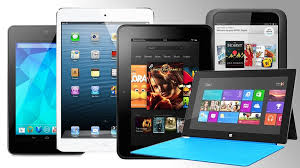
    There are so many people using tablets now that it’s hard to believe that it’s only been four years since the first iPad came on the scene.  Some analysts think tablets will outsell laptops soon.  So the question is, do you want one and if so, do you want an Apple or an Android model?

    Having just done considerable research before purchasing my new laptop, I have reached a few conclusions.

    Tablets are good for consuming information on the go.  The screens are bigger than smart phones and they have more processing power and storage capacity than smart phones.  (My iPhone ran out of storage space the minute I synced my iTunes music library and I had to delete a bunch of files.)   My Android phone runs a little slow at times.  I think it’s straining under the load of all those apps multi-tasking.  The teeny tiny keyboards on both products drive me nuts and neither Siri nor Google voice seem to understand me.

    Tablets offer a more portable and comfortable way to check email, view web pages, watch movies, listen to music, play games or view maps and reports for work.  However, if you spend a considerable amount of time creating information, like blogging, writing reports and longer emails, you won’t be happy with a touch screen keyboard.  Of course you can add keyboards to tablets, but that increases the weight and makes it into a mini laptop which sort of defeats the purpose, if you ask me.  I find the small screens restrictive and I had a hard time getting used to the small the keyboard on my Asus tablet.

    Therefore, I use my smart phone for navigation, and to check emails, texts and voice mails to see who needs immediate attention.  I leave everything I can, until I get back to my laptop with it’s nice crunchy full-size keyboard and 15 inch screen.

    So, consider what you are going to want to do with a tablet.  You probably don’t need one.

    However, you may want one.  If you decide to jump in, you will have to choose a camp…LOL…Apple, Android, or Microsoft.  I won’t go into the myriad of choices here…there are so many and they change all the time.  Suffice it to say, that if you use a Mac computer, your life will be simpler if you get an iPad; and if you use a PC, you will be happier with an Android or Microsoft product.  Some people like the simple look of the apple product and find them very easy to learn and it is possible to sync iPads (and iPhones) with PCs.  I do it with clients all the time.   But just be aware that “the boys” are very competitive and don’t like to play together nicely, so you may need my help.

    I’m always happy to do pre-purchase consultations and/or shopping trips.  It makes me so happy to be able to save clients tons of money by preventing them from buying expensive gadgets and bells and whistles that they don’t need.

    I’m always grateful for the opportunity to see you and help in any way I can.

    If you have found this information helpful, please feel free to forward this to others.  Your referrals are the heart of my business and I really appreciate you.

    In Joy,
    Mardi

    “Restoring peace and joy to the world through computer and gadget education.”

  • Workshop Nov 6

    1450 AM Radio
    1450 AM Radio Interview

    All the participants in my first smart phone workshop in iPhone IOS 7 said they really enjoyed it. I had a great time doing it and was really gratified to see how much everyone was able to learn, and how excited they were about their new skills.

    By popular demand, I will be offering it again on Wednesday, November 6th from 10 AM to 12 PM at the Office of Lerner Mastermind, 34400 Date Palm Drive, Cathedral City.

    The first 12 people to give me the $20 fee will be enrolled. There will be no refunds, so if you can’t make it, feel free to send someone in your place.

    If you don’t have an iPhone, please pass this email along to anyone you know who might be interested.

    Android fans will be happy to know that I am getting an Android phone this week and will be offering an Android workshop soon. I just need a little time to play with it and discover the best hot tips and tricks to share.

    If there are other topics you would like me to cover, please let me know. I have some ideas also, which I will share soon.

    I would really appreciate it if you would help me, help more people, by inviting 5-7 of your friends or colleagues to your home or office for a workshop on a topic in which you all have an interest. It makes tutoring more affordable and even more fun. You will receive your workshop for free and I will gift you an hour of private tutoring as a thank you.

    These workshops are not a traditional class format. They are “Play Shops.” My goal is to empower you to learn about gadgets like children do, by taking the time to poke around and see what happens and share discoveries with each other. I will give you some background information, tips and tricks, and answer your questions. The first group felt so proud of themselves and were very pleased with the cool things they could do–just as I had promised.

    My mailing address is PO Box 2392, Palm Desert, CA 92261, or you can give me the money in person. Remember, It’s “first come, first served,” so give me your $20 ASAP if you are interested.

    And please consider hosting a group. Help me create more peace and joy in the world through computer and gadget education. I really appreciate your support….and your friendship.

    Looking forward to “playing” with you in a Play Shop soon!

    In Joy
    Mardi

    “Restoring peace and joy to the world through computer and gadget education.”

  • iPhone Workshop/Playshop

    All the participants in my first smart phone workshop in iPhone IOS 7 said they really enjoyed it.

    I had a great time doing it and was really gratified to see how much everyone was able to learn, and how excited they were about their new skills.

    By popular demand, I will be offering it again on Wednesday, November 6th from 10 AM to 12 PM at the Office of Lerner Mastermind, 34400 Date Palm Drive, Cathedral City.

    The first 12 people to give me the $20 fee will be enrolled. There will be no refunds, so if you can’t make it, feel free to send someone in your place.

    If you don’t have an iPhone, please pass this email along to anyone you know who might be interested.