You have to see this! It’s the information you need and it’s not condescending. So refreshing! Thanks to Payette Forward Good job!
Category: Smart Phones
-
Text Message Scams
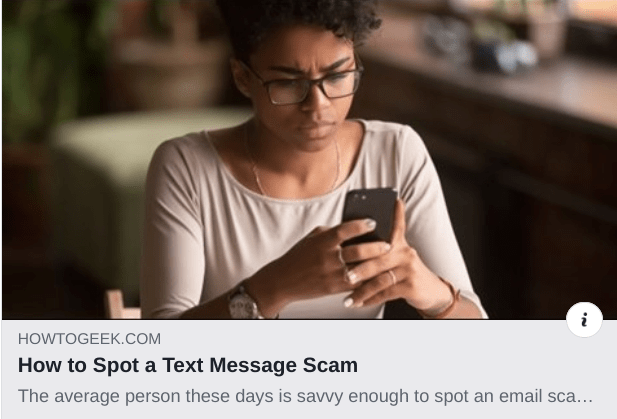
Text message scams are the basically the same as email scams. Trust your instincts. Don’t respond to people you don’t know. Don’t give out any information. Remember, it’s “social engineering” — they are skilled at scare tactics to short circuit your reason. Stop, breathe, and call up Your Higher Self and you’ll be fine. And remember… the benefits outweigh the risks. Enjoy!!
See this excellent article for details.
https://www.howtogeek.com/563906/how-to-spot-a-text-message-scam/ -
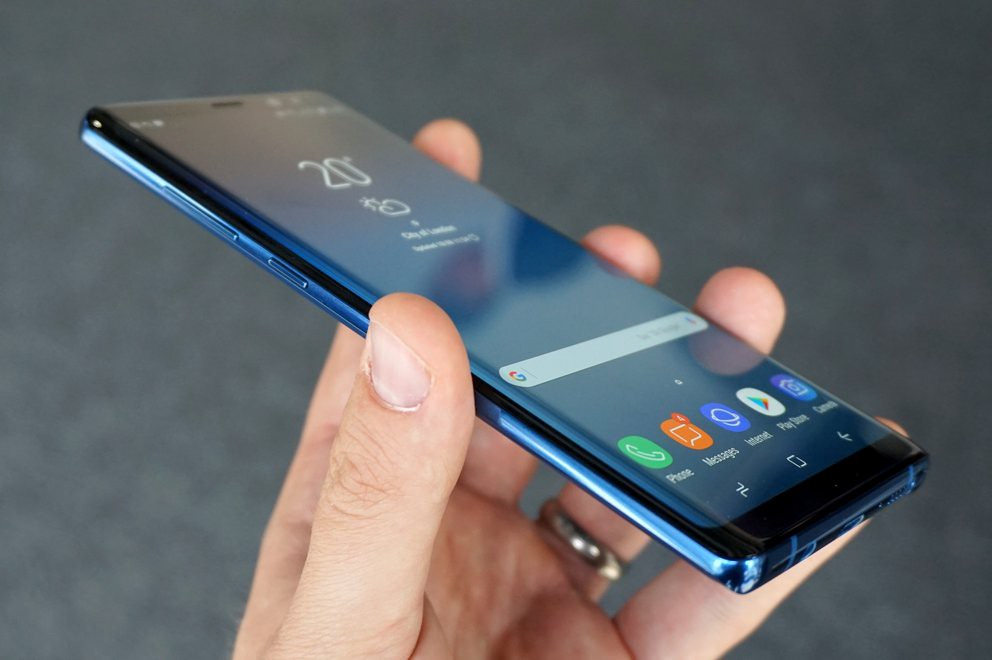
You Don’t Need A New Galaxy S10 Phone
 I just read a review of the new Galaxy S10 and S10+ by Engadget and was absolutely amazed that it was described as “a superb phone” in spite of an “inconsistent fingerprint sensor and a subpar digital assistant.”
If you like technology simple, easy and fun like I do, you’re probably wondering…
- Why in the world would anyone spend $1000 for a phone?
- Do I need an amazing screen to check email, text messages and use Google maps?
- Am I watching YouTube videos and movies on my phone?
- The only reason to have a big screen is to have larger keys on the keyboard for typing and with a good voice assistant and predictive text, I don’t even need to use the keyboard very much.
And speaking of typing, it’s critically important to me that a phone’s digital assistant can understand me and type accurately. I’ve found Google assistant to be much better at this than Siri. Samsung may have improved it’s Bixby assistant but I wouldn’t even consider paying $1,000 for second-rate voice to text.
Another huge priority for me is a digital assistant that can find answers for me and deliver them verbally. Apple’s Siri doesn’t understand me and she isn’t very smart. The Google assistant (I call her Google Girl) is much more capable. Whereas Siri (if she can find anything at all) will display a search results page, Google Girl will usually tell me verbally what I want to know. This is particularly important when I’m driving my car.
The other most important feature to me, is a quick and reliable way to unlock my phone. I’ve grudgingly accepted the fact that we need to keep our phones locked but it’s a big nuisance.
The fingerprint sensor on my iPhone 6 Plus is not only inconsistent but it forgets the fingerprints over time and I have had to go into the settings and set them up again.
I don’t bother with fingerprints anymore. I just use my 5 digit passcode. It’s quicker and it always works the first time.
There are android phones for $250 that will do everything I need and that’s what I’ll be getting as soon as my iPhone 6 Plus (a gift from my wonderful son) dies or is rendered obsolete.
If you’d like to simplify your techie life in this way and want recommendations for purchasing a new phone or help with setup and learning how to use it, you can schedule an appointment here or call 760-348-8867.
What kind of phone do you have? What do you like and dislike about it? Let us know in the comments below so we can all benefit from your experience.
-

Smartphones
Smartphones are essentially hand-held computers with phones and cameras. Many of them cost as much as a laptop computer.
When it comes to choosing a smartphone, it’s a matter of lifestyle, personal interests, and budget. You may not need a smartphone at all, or you might enjoy having the latest and greatest.
I have clients on one end of the spectrum who have tried using a smartphone and then decided to just get a simple flip phone for emergencies and, on the other end are clients who enjoy having all the bells and whistles on the latest $1,000 + phones. I have one client who has decided that he likes his phone better than using a computer and uses it exclusively. (Actually, that’s probably the wave of the future. Young people are heading in that direction. Before very long, we may only see computers in offices.)
Unlike basic cell phones, smartphones require a data plan for email, web surfing and getting data to the apps. A data plan will increase your cell phone bill by at least $40/mo. ($480/yr.) so you’ll need to decide if the benefits, justify the additional cost.
Ask yourself, why you want a smartphone? Is it just because your kids say you should have one or because you don’t want to be behind the times? Has anyone actually shown you what they can do or explained the advantages?
Schedule a Complimentary Consultation to help you
decide on the best choice for your unique needs:
The Basic Functions of a smartphone include a phone, camera, address book, maps for navigation, texting, email, calendar, calculator, alarm clock and timer, web browser and voice recognition/digital assistants, like Siri, Google Assistant.
In addition, there are apps for everything under the sun — documents, banking, invoicing, music, podcasts, games, health and fitness, weather, stocks, news, and more.
People who have businesses like me may need to have a digital calendar and other business-related apps at the ready.
Some people use their phones primarily for entertainment — texting, playing games, taking photos, or listening to music or podcasts, etc.
Others depend on smartphone apps for traveling — to find RV parks, translate languages, find the best gas prices, etc.
If you just want to dip your toe in the water, there are inexpensive phones that are very good. At some point you may find yourself wondering “what was life was like before I had a smartphone?” or you might decide you don’t need one but at least you will be making an educated decision.
If you have questions or would like a patient, understanding person to help you gain clarity, you are welcome to schedule a complimentary consultation with me.
Choosing the Right Phone
Since smartphones are mini hand-held computers, the considerations are the same as for buying a laptop or desktop computer — processing speed, memory, storage space, screen resolution, and security.
The type of processor and chipset (the processing and memory units of a computer) and the LTE bands and frequencies that connect the devices to the service providers’ networks, (Verizon, Sprint, T-mobile, AT&T, etc) are important considerations for people who run apps or games that need a lot of processing power. These factors will not be as important for people who only make calls, send texts or use simple apps like Uber or Facebook
Screen resolution is a matter of aesthetics and will be more important to people who do a lot of photography or play video games.
Storage is important if you take a lot of photos and videos, or download a lot of music or movies.
- Photos: 16GB = 4096 photos, 32GB = 8192 photos, 64GB = 16384 photos, 128GB = 32768 photos. To make it simpler, if you took 10 photos a day, you’d fill up 16GB in a little over a year.
- Videos: When recording at 720p, you get about 20 minutes HD footage, per GB of memory. So on a 32GB card, you’d get about 10 hours 40 minutes
- Music: 1GB would give you roughly 200 songs and you could use online services like Pandora instead of downloading your own.
Camera specs will matter to avid photographers. Most people won’t notice the differences.
You’re probably not interested in understanding all the technical specifications and that’s fine. The main thing to keep in mind is that the technical specifications affect prices. If your needs are fairly simple, you might be very happy with a less expensive phone. I think most people pay more than necessary.
A great source of information is thewirecutter.com If you can understand “geek speak” and want detailed information, you can find it at https://thewirecutter.com/
iPhones
If you use an apple computer or tablet, your techie life will be much simpler if you stay in the “Apple Universe” and use an iPhone. The hardware is well-made and durable, the software is user-friendly, they offer excellent security protection, and there’s no advertising or annoying third-party apps pre-installed.
Android phones
You can get a decent Android phone for quite a bit less than the most inexpensive iPhone which is $350. The main issue with Android phones is that the Android operating system is “open source.” That means it’s available for everyone to modify. Whereas Apple has complete control of the iPhone hardware and the iOS operating system, Android hardware is made by many different companies and some of the phones aren’t kept up to date with the latest versions of the Android OS. In fact, some of the companies modify the operating system. You want to be sure that your phone will be eligible for security updates for the whole time you have your phone or be prepared to buy a new phone later. A lot of times the availability of updates depend on the carrier. (Verizon, AT&T, Sprint, T-mobile.)
The Benefits of Unlocked Phones
An unlocked smartphone is a phone that isn’t tied to a specific carrier or contract. It gives you the freedom to shop for the latest phones and plans as often — or as infrequently — as you like. The biggest advantage is that they don’t come preloaded with numerous carrier applications that take up space and confuse people. Unlocked phones are more apt to work for international travel.
Click here to see my recommendations for phones to buy.
Important Disclosure:
Some of the links are affiliate links, which means that if you choose to make a purchase, I will earn a commission. There is no additional cost to you. In fact, I have endeavored to save you money by choosing the products and services that are the best value. I have not been given any free products, services or anything else by these companies in exchange for mentioning them on the site. I recommend them only because I want to help you make the best choices for your particular needs and budget, not because of the small commissions I make if you decide to buy something.
-
How To Clean Gadget Screens
People often ask about the best way to clean the screens on their computers and mobile gadgets. I’ve tried a lot of things and I’ve found a simple solution to be the best… plain water or eyeglass spray and a regular size microfiber towel.
Be sure to reserve a special towel that is used only for gadgets so it won’t have a bit of sand or grit in it from cleaning something around the house.
 Get a nice big one and just keep refolding it into little squares until you have used all the clean surfaces. You will be able to do a lot of cleaning before you have to wash it. (Don’t bother with those itty bitty cloths for eyeglasses…they get dirty too fast and get lost in the wash.)

Be sure you moisten the towel and don’t spray anything directly on the glass because it might seep into the gadget.A less “green” solution is to use eyeglass spray and a tissue. Then you don’t have anything to launder.If you enjoyed this tip, please share it so your friends and relatives can enjoy their gadgets more. Thanks! -
What To Do If Your Cell Phone Gets Wet

One Saturday night, I received an urgent call from a client who had dropped her cell phone in the toilet. It had fallen out of her pocket. I know…it’s funny….but embarrassing too. Well, she isn’t the only one. It’s a fairly common occurrence. Don’t we all know someone….?
If your cell phone gets wet, you will need to act quickly and you won’t want to be wasting valuable time doing research on the internet.
It isn’t always easy to find the most reliable information either. Just because it’s on the Internet, doesn’t mean it’s true. Sometimes it takes a lot of time and some background knowledge to find the right answer.
I thought you would like to have the results of my research and an article to print in case of an emergency. Please share this with the people you care about so they can be prepared too. And, encourage them to subscribe to my Techie Tips. Thanks!
 If you do a google search, you’re going to see many articles that say the best way to prevent water damage after dropping your phone into a toilet, (or lake any other liquid) is to put it into a container of dry, uncooked rice. Conventional thought says the rice will suck the moisture right out of the phone and restore it to life.
The folks at Gazelle wanted to find the truth about rescuing drowned phones, so they gathered nine devices destined for recycling and put popular wisdom to the test. What they learned surprised them. See Gazelle’s Guide To Water Damage for the details.
If you just want to know what they recommend and don’t care about how they arrived at their conclusions, here’s the instructions to print: How to Save Your Phone From Water Damage
If you enjoyed this article, please share it and encourage your friends and relatives to sign up to receive new blog posts in their inbox so they can enjoy modern technology more.
Enjoy!
Mardi -
Do You Use Skype or Face Time?
Why Use Skype?
Skype is an app that lets you connect with people using the video camera on your computer or mobile device.
Face Time does the same thing, but only works with Apple products. Even if you use Face Time, it’s a good idea to know how to use Skype as well. They are both very simple and easy to use and they are truly one of the best benefits of modern technology.
A friend of mine uses Skype to play checkers with her 9 yr. old grandson who lives out of state.
Parents use it to stay in touch with their children when they have to be away on business trips or vacations. They can read the children a bedtime story, watch them get tucked into bed, and throw them a kiss goodnight.
Several clients have had me show them how to use Skype for important job interviews. We practiced calling each other, chose the most flattering camera angle, picked the most attractive background, and discussed what to wear. It is so rewarding to see people gain confidence and be optimistic about getting the job!
Video chat is great for online dating and long-distance relationships too.
Businesses use Skype for video conferencing because they can have multiple people on a video call. They save a lot of money on air travel, hotels and meals.
On an internet enabled big screen TV, it can feel like you’re actually in the room with distant family members. You can even watch each other open Christmas presents!
On mobile phones, you can only use audio for group calls, but on your computer or internet enabled TV you can do video conference calls.
Skype also supports audio calls to traditional phones. Using Skype on your tablet or smartphone, you can call somebody on a regular telephone. This is really handy if you are traveling and don’t have access to phone service but do have access to wifi.
One of my clients who is retired from the Foreign Service, learned how to use Skype so he could stay in touch with his friends all over the world for free.
All of the features of Skype are free, except calling people on regular telephones. However, Skype phone calls are a lot less expensive than traditional long distance calls.
How to Use Skype
Skype is a free download from the iOS App Store and the Google Play Store and is already installed with Windows 10 and Window phones. (It’s owned by Microsoft.)
You need to have an account to use Skype. You can set up a free account or, if you already have a Microsoft account, you can just log in with that.
On iPads, iPhones, Android phones, and Android tablets, each version of Skype will look a little different but the functionality is the same. There are just a few minor differences on each device
When you login you will see three screens
- RECENT- shows the most list of people most recently talked to
- FAVORITES – shows the contacts you have marked as favorites
- PEOPLE – is your list of people you can call on Skype. They have to have an account also and they have to agree to be connected with you.
To Add a Contact
Search for the person in the Skype database. There are millions of people in the Skype database and lots of people with the same name…even unusual names. It’s amazing!
Therefore, the quickest and easiest way to find people is to search for their unique Skype name. Email address work sometimes too because there aren’t duplicates of those but it’s really easier to ask your person for their skype name.
When you find them, tap the button that says “add people.” Then tap “send a contact request.”
The person’s name will show up on your contact list but, they will not show up as online and accessible until they have accepted your request.
After they accept your request, you will be able to see their status next to their name, which lets you know when they are online for you to call them.
Note: some people leave the Skype app open all the time to receive calls. Other people text or email each other to set a time and then open the app. It depends on how often they use it.
To make a call
Select a contact and you will see buttons at the bottom of the screen. You can choose to do a video call or an audio call. They both work pretty much the same. Tap on the button for audio or video. The camera starts running right away so you can frame up your shot while you wait for the other person to pick up.
After you start talking, the buttons at the bottom of the screen will fade out of the way, but when you tap on the screen, they’ll pop up again.
You can mute and unmute your audio by hitting the mute button.
You can disable the camera by hitting the camera button if you want to talk and see them without them seeing you.
When you’re done, just hit the red hang up button.
To receive an incoming call
The app will make a sound and you will see a choice of buttons.
If you don’t want to answer a call, you can just hit the red button.
If you want to answer but only want to use audio, then hit the green button in the middle.
To see video and hear audio, hit the camera button.
To hang up, tap on the screen to bring up the controls and hit the red button
You can also use Skype to have a text chat.
On the screen, with a contact’s information, tap on the field that says “type a message”. Type and then hit the Send button. When he responds, you’ll see his response pop up.
Calling regular telephones
This feature is particularly useful when you’re traveling to a place where you won’t have a cellular phone connection, but you will have wifi.
This is called Voice Over IP, or VOIP. Using this feature, you can call a regular phone as long as you can connect to Skype on your mobile device.
This is the one feature that is not free but Skype is much less expensive than traditional long distance rates. To get an idea of the pricing options, check out their website. http://www.skype.com/en/
You can login to your Skype account on the website and add Skype credit to your account.
Or in the app on your mobile device, you can hit the “my account” button (top right), and there’s an option for “Skype credit”. This way, it’s an “in-app” purchase and it will be charged to your iTunes account or Play Store account. It will ask for your password for confirmation. Then hit “Buy”.
To make a call to a regular phone
At the bottom of the screen, there’s a dialer button and you can just dial a regular phone number. Also, there’s a button at the top that links directly to the address book on your device so you can find the person and tap on the number. When you hit the phone button at the bottom, it will dial. When he answers, you will be having a conversation just as if you were using a regular telephone. To hang up, just hit the red button at the bottom
Skype is a great app for video and audio calls because it runs on all mobile devices and computers no matter what platform. Group video calls are not available on mobile devices but video calls to individuals work.
I hope you will try this and enjoy it. If you need help, just let me know.
Please share this with your friends and relatives. Your referrals are the heart of my business and my mission is to help people more fully enjoy the many benefits of modern technology.
Thanks,
Mardi
-
Crapware
Crapware:
Why manufacturers install it, what you can do about it, and why it’s not going to go away Based on an article by Adrian Kingsley-Hughes http://www.zdnet.com/
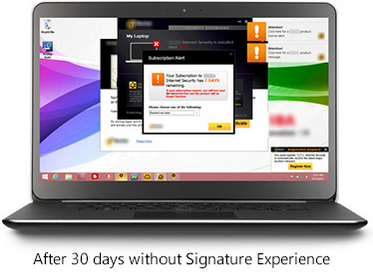
Crapware, also know as “bloatware” or “junkware,” are apps that hardware companies install onto their devices on top of the operating system (OS). It’s a bunch of free trials and demos that nag you to buy the full version. Most annoying to me, is when you start using the app, not realizing that it’s a free trial, and then find out that you have to pay in order to continue accessing the work you’ve done.
 The worst consequence is that crapware can dramatically slow down system performance or even compromise your system’s security. I frequently see relatively new computers running slow because of the weight of the crapware that has been installed on them. They run great once all the junk is removed. One has to wonder about the number of people who spend hard-earned money on a PC only to end up getting a third-rate experience because of crapware.
Furthermore, many of these dissatisfied PC owners may end up blaming “Microsoft” or “Windows” for the performance issues, when the real problem is that the manufacturing company took money from third-parties to fill their computers with junk.
Microsoft is well-aware of this. It’s now offering Signature which is free from the clutter that “can slow down your computer and junk up your Start screen or desktop.” See it here
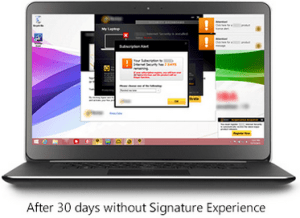
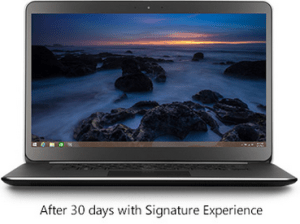
If you ask the hardware makers why they install this stuff, they’ll tell you they are offering you extra value. That’s a lie. They do it because they make money for doing it. Except for Apple products, computer profits are very thin. Hardware makers are happy to install junk onto new systems in exchange for a few extra dollars.
Photo courtesy of www.kitguru.net

Eradicating crapware from Windows PCs isn’t easy, and when it comes Android smartphones and tablets it can be almost impossible. There are tools out there for the PC such as PC Decrapifier and CCleaner that do a reasonable job of cleaning a system, but they’re far from perfect.
The purveyors of crapware have become wise to these tools and take deliberate steps to make it difficult. It’s best to call my friends at Desert Cow Computers. www.mydesertcow.com

Hardware manufacturers operate in a cutthroat business environment and crapware can make the difference between almost no profit and a little profit, especially on budget systems. Perhaps you will decide to stay away from budget systems now.
Microsoft offers the Signature range of PCs and Google sells Nexus-branded devices, These products are free from crapware. If you’re looking for a pure Windows or Android experience, then this might be worth investigating. Another option is to switch to Apple or Chromebook.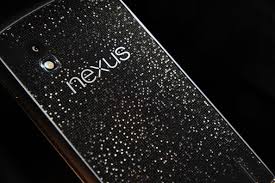
If more people complain or vote with their feet by purchasing crapware-free products, perhaps equipment manufacturers will be persuaded to make crapware easier to remove.
Thoughts or comments about this topic? Please comment below. Thanks! -
Good News – Phones Unlocked!
Good News – Phones Unlocked!
The government has agreed to the unlocking of devices in the United States This means you can now unlock your mobile phone or tablet (iPhones, iPads, Android smartphones and tablets) and use it with a different wireless network carrier. All major service providers like Verizon, AT&T, T-Mobile, Sprint and U.S cellular are now allowing the unlocking of devices so you can switch to the carrier service that is best for you. Previously, if you wanted to change your network provider you had to buy a new phone.

The unlocking policy and methods vary according to the network provider. The unlocking process is free if you fit into the rules set by the provider. Before making your request to unlock the device, check the company policy and make sure you are eligible.
Please forward this to everyone you know so they can be safe and feel relaxed, happy and confident with their computers and techie gadgets.
Thoughts or comments about this topic?
Please comment below.Thanks!
-
Great Apps for Computers and
Apps are not just for smartphones and tablets. Many apps are web based and accessed through your web browser. You don’t have to have a smart phone or tablet to use some of the most popular apps.
However, when people buy smartphones or tablets, they often ask me what apps they should know about. I’m always happy to make suggestions based on antheir lifestyle and interests.
Since you may have received a gadget as a holiday gift, I thought it would be a good time to tell you about a few of my favorites apps and programs. You may already be using some of these but you may discover some new ones to try. Enjoy!
Entertainment and Media:
 Netflix let’s you watch an unlimited number movies and television shows online for only $8.95 mo. You can train it to make suggestions for you based on the movies you watch and how you rate them. You can even set up separate profiles for individual family members! And, there are no commercials!!!
You can connect your gadget to your TV and watch movies on it too.
Chromecast from Google $35

Roku Streaming Stick $50
 Apple TV $99

Spotify let’s you listen to music for free. It even has playlists by subject or genre. The variety is astounding and there are no commercials!!!

YouTube is a must for doing research on any topic that can be best explained with a video. Think recipes, repairing things, movie previews, songs, lyrics, instructional videos, and answers to absolutely any question under the sun.

Shazam listens to songs on the radio, TV or movies. It identifies the song title, shows you the performer, album, lyrics and links you to sites where you can purchase.
Productivity:
 Dropbox is a great app for cloud storage and sharing. When you put files in there, you can access them from anygadget or computer. I use the phone app to play audio files of lectures and seminars. It’s super easy to learn and you get 2GB of storage for free. By referring your friends to Dropbox, you can earn up to 16GB of additional space. Sign up here
One of the most popular productivity tools for home and business is Microsoft Office. Unfortunately, Office documents don’t always play nice with third-party apps. Now Microsoft has released the Microsoft Office Mobile app. It lets you open, create and perform basic editing on Word, Excel and PowerPoint files no matter where you are.
 Mint.com and its app (Free, and available for Android and iOS) links to your all your bank accounts, credit card accounts and loans so you always know just how much money you have and how you are spending it. You can set up spending categories and create a budget for each category. I love it for keeping track of my income and expenses for paying my taxes.
 The Weather Channel app and weather.com show you the current temperature, the hourly forecast and the next 10 days of weather. Also you get a customizable radar map, video clips, severe weather alerts and beach conditions. It’s better than your gadget’s built-in weather app.
You don’t want to burn through your cellular data plan when you are out and about or on a trip, so you need to useWi-Fi whenever possible. You can find free Wi-Fi locations with the Free Wi-Fi Finder app.
Dating:

Match.com app has earned the top spot in dating apps and is my favorite.

POF.com (Plenty of Fish) is very popular here in the desert and is free.
 Navigation:
Google Maps is my favorite navigation app. I especially appreciate that it invites you to submit corrections. Youget an email thanking you for your help and then a follow up email when the corrections have been made.
 Uber is an app-based transportation network that uses a smartphone application to receive ride requests, and then sends these trip requests to their drivers. Customers love using the app to request rides and to track their reserved vehicle’s location. Uber’s drivers use their own cars and there is a variety of types of vehicles available, from Town Cars to SUVs and more. One of my friends is a driver for Uber and just loves it. It’s a win-win for everybody.
Other Popular Apps
Here are some other popular apps that I don’t find the time to use very often, but you might enjoy.
Save Money
 The RetailMeNot app helps you find promo codes and coupons for more than 50,000 physical and online stores, including grocery stores. You can save and store coupons for later, and share the savings with your friends through social media.
Photo Editing

Snapseed is the top app for photo-editing and VSCO Cam is gaining ground in popularity.
Social and Sharing

Pinterest, WhatsApp and Snapchat are the top apps in messaging and texting.

Instagram and Facebook are considered the must-haves for social sharing. The Facebook app got me interestedin using Facebook more often because it is so easy to use.
Sports

WatchESPN.com is the most popular app for sports fans.
Fitness
MyFitnessPal is the top fitness app.

Do you have any favorite apps to share?
There are thousands of apps and recommendations from friends is the best way to sort through the maze. Do you have some favorite apps not mentioned here? Post your comments below so everyone can benefit from your ideas.














 The Desert Computer Tutor