Category: Security

  • Are You Still Frustrated by Passwords?

    Are You Still Frustrated by Passwords?

    image of keys in a safe
    Image by MasterTux from Pixabay

    You don’t have to be frustrated by passwords! I’ve written about this several times before but I’m still encountering many people who are still not using password managers.

    Google Chrome can save your user IDs and passwords and sync them across your other devices. This way you can set complex passwords for websites without worrying about memorizing them. Chrome can also automatically log you into these websites when you open them again.

    Dinsan at Chrome Story has created a great how to article complete with screenshots.  https://www.chromestory.com/2020/03/chrome-password-manager/  

    I used to recommend that you not use it, but now it’s all encrypted.  Be sure you are logged in to your google account in your Chrome Browser and be sure you use a VERY strong, secure Google (same as gmail) password and remember it.  It’s the “key to the Kingdom.”  

    If you don’t have a Google account you can set one up.  That doesn’t mean you have to use the gmail address, you just get one when you set up an account.

    If you live in the Apple World, the equivalent is Keychain.  

    Be sure your Google and Apple passwords are super secure because they unlock access to EVERYTHING else.”  

    If you need help, let’s set up a tutoring session ASAP. 

    Enjoy!

    Image by MasterTux from Pixabay

  • Text Message Scams

    Screenshot 2020-03-10 at 7.38.51 AM

    Text message scams are the basically the same as email scams. Trust your instincts. Don’t respond to people you don’t know. Don’t give out any information. Remember, it’s “social engineering” — they are skilled at scare tactics to short circuit your reason. Stop, breathe, and call up Your Higher Self and you’ll be fine. And remember… the benefits outweigh the risks. Enjoy!!

    See this excellent article for details.
    https://www.howtogeek.com/563906/how-to-spot-a-text-message-scam/

  • Alexa and Google Home Can Eavesdrop

    Alexa and Google Home Can Eavesdrop

    photo of woman speaking to an Alexa Device
    Photo from article on ZDNet website

    Oh, dear…the challenges of being on the Leading Edge of technology!

    If you are going to play, you need to be educated about how things work and what to look out for.  Hope this helps.  Enjoy!

    If you have any questions or comments, please share them in the comments section at the bottom and I’ll be happy to reply.

    From ZDNet: Hackers can abuse Amazon Alexa and Google Home smart assistants to eavesdrop on user conversations without users’ knowledge, or trick users into handing over sensitive information.

    The attacks aren’t technically new. Security researchers have previously found similar phishing and eavesdropping vectors impacting Amazon Alexa in April 2018; Alexa and Google Home devices in May 2018; and again Alexa devices in August 2018.

    Both Amazon and Google have deployed countermeasures every time, yet newer ways to exploit smart assistants have continued to surface.

    The latest ones were disclosed today, after being identified earlier this year by Luise Frerichs and Fabian Bräunlein, two security researchers at Security Research Labs (SRLabs), who shared their findings with ZDNet last week.

    Both of these attacks exploit the fact that while Amazon and Google verify and vet Alexa and Google Home apps when they are submitted, they do not do the same for subsequent app updates.

    In an email to ZDNet, the SRLabs team said they reported the issue to both vendors earlier this year, yet the companies have failed to address the issue.

    “Finding and banning unexpected behavior such as long pauses should be relatively straight-forward,” the SRLabs team told ZDNet. “We are surprised that this hasn’t happened since reporting the vulnerabilities several months ago.”

    Amazon did not respond to a request for comment from ZDNet prior to this article’s publication.

    A Google spokesperson provided the following message:

    “All Actions on Google are required to follow our developer policies, and we prohibit and remove any Action that violates these policies. We have review processes to detect the type of behavior described in this report, and we removed the Actions that we found from these researchers. We are putting additional mechanisms in place to prevent these issues from occurring in the future.”

    Google also wanted Home assistant owners to know that their device will never ask them for the account password, and that Google staff are currently reviewing actions from all third-party apps.

  • Backups Don’t Have to Be Hard or Confusing

    Backups Don’t Have to Be Hard or Confusing

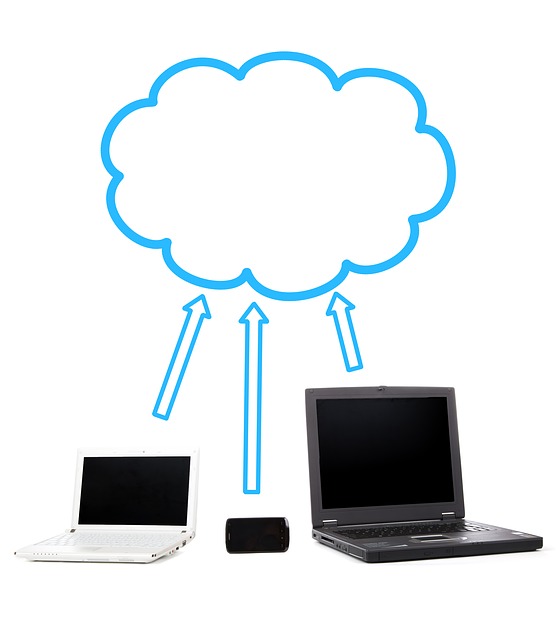
    diagram of cloud and mobile devices
    Image courtesy of Pixabay

    I love articles by How To Geek because they often cover basic information that my clients should know.  The articles are written very clearly but sometimes I make them even simpler by providing a shorter version and definitions of technical terminology.

    I’ve talked about backups many times, so I think most of you will be able to understand this article as it is:  What’s the Best Way to Back Up My

    If you know me at all, you will know that I recommend Chromebooks and Google Drive as the best solution for most people.  My second choice for simple and secure would be an Apple iPad and iCloud backup.

    As they say in the article: “Everyone loses data at some point in their lives. Your computer’s hard drive could fail tomorrow, ransomware could hold your files hostage, or a software bug could delete your important files. If you’re not regularly backing up your computer, you could lose those files forever.  Backups don’t have to be hard or confusing.”

    Please just make a decision and do it!  And check monthly to be sure it’s working.

    If you need help, you can make an appointment here or call 760-348-8867.

    Let us know what you use for backups in the comments below.

    Thanks for reading and for sharing with others. 🙂

    Enjoy!

    Mardi


  • Google Password Checkup is Such Great News!

    Google Password Checkup is Such Great News!

    With the frequent news about security breaches, are you concerned that your passwords might be compromised?

    Have you registered with https://haveibeenpwned.com/?

    Are you feeling overwhelmed?

    I’ve got great news for you!
    Google Chrome Can Tell You if your passwords have been compromised!

    Google has created an extension (software program) for its Chrome web browser that will alert you if a username and password is known to be unsafe.

    The extension is called Password Checkup and it checks a database of 4 billion credentials that have been compromised (stolen and exposed) in various data breaches.

    When the extension detects an insecure password, it will display a big red dialogue box telling you to immediately change your username or password.

    Of course, allowing an extension to read all your usernames and passwords raises concerns about privacy.

    Google is well aware of this and has designed an encryption system to keep all your information private and anonymous:

    “We built Password Checkup so that no one, including Google, can learn your account details. To do this, we developed privacy-protecting techniques with the help of cryptography researchers at both Google and Stanford University. For a more technical description of these innovations, check out our security blog post.”

    Here’s a short video tutorial on How to Install Password Checkup

    Or follow these steps:

    Click on the 3 stacked dots (upper right)
    Hover over “More Tools”
    Click “Extensions”
    Click on the menu icon (upper left corner)
    Click on “Open Chrome Web Store (lower left corner)
    In the “search the store” box, type “password checkup”
    Click on Install
    Click the X to close the confirmation window

    If Password Checkup lets you know that a password you use is unsafe:

    Sign in to the account with the unsafe password.
    Create a new, strong password for the account and any other accounts that use the same password.
    If the site offers another security measure, like Two-Step Verification, consider setting it up.

    Let me know how it goes by leaving a comment below

    If you need help, you can schedule an appointment on my calendar here

    I’m so excited to have a simple solution for keeping your passwords safe!
    I hope you will forward share this tip with everyone you know.

    Enjoy!
    Mardi

    P.S. I try to use as little Geek speak as possible, but you do need to understand a few terms.
    I highlight them in bold so you can check yourself and look up the ones you don’t know.

    Here’s a little self-test for you. How many do you know?
    What is a web browser?
    What is a browser extension?
    Why does it matter if your account is taken over?
    What is a dialogue box?
    What does “account credentials” mean?
    What does “compromised password” mean?

  • How To Make Your Technology Less Frustrating and More Fun This Year

    How To Make Your Technology Less Frustrating and More Fun This Year

    “It’s that holiday time of year again, and that means it’s over the river and through the woods to…well, fix my family’s Wi-Fi and other tech problems.”  From: The Complete Guide to Giving Better Family Tech Support  by Jason Fitzpatrick
    family-dinner-3407701_1280
    Do you have someone in your family who takes care of your techie problems for you?

    I was that person for my mother. In fact, she was the one who suggested that I start this tutoring business to help other retirement-age adults.

    I often laugh and tell people, “I’m your person, when you don’t have access to any techie relatives or you don’t want to impose. ; )

    I recently read a fun article by How to Geek. The Complete Guide to Giving Better Family Tech Support  and I realized that it’s time to remind you that, “a few times a year someone needs to make sure computers are up to date,photos are backed up, and the tech is humming along as it should, so you won’t be in a in a position to have people exploit your computers, lose your photos to a hard drive crash, or otherwise be miserable because you just didn’t know any better.  After all, you aren’t out there keeping up on all the tech news and reading how-to guides.”

    image of computer with 2019 on the screenAnd, there’s another great article for the New Year… Lock Down Your Tech With These New Year’s Resolutions by Justin Pot.  It urges people to:

    • “Use a freaking password manager
    • Lock Down Important Accounts With Two-Factor Authentication
    • Backup Your Computer (Seriously)
    • Update (or Upgrade) Your Router
    • Clean Out Your Browser Extensions
    • Remove Unused Third-Party App Access From Google, Facebook, and Other Accounts
    • Encrypt Your Computers and Phone”

    As I often say, “using technology is like driving cars, they need check ups from time to time, and you have to know the rules of the road for your safety and security.

    sparkler-839831_1280No Worries…There Are Easy Ways To Get It All Done:

    • Read the two articles and follow their very clear instructions or
    • Send these tips to your “Family Tech Guru” so he or she can do it or
    • Hire me to teach you how to do it or
    • Hire me do it for you

    Whatever you decide is fine, but  please make a decision and “get ‘er done” so you can have less frustration and more fun.

    Wishing you a very happy new year and may your techie world be simple, easy and fun this year!

    Enjoy!

    Mardi

    P. S. Please share this with your loved ones so they can get the help they need too.  Thanks!

  • How to Avoid Getting Scammed

    How to Avoid Getting Scammed

    This post was updated on October 20, 2018

    Star Wars Gif,

    Have you been receiving phone calls or been seeing websites that claim your computer is infected with a virus?

    They are scams!  Clients call me quite often about these. Just this past week, I was working with a client when she received one and a couple of days later another client left me a message with a recording of it!  It’s actually pretty funny when you understand what’s going on!

    So it’s time to for me to reminded you again, that neither Microsoft nor Apple is going to call you!  

    Here is a link to an excellent page on Microsoft’s website that has everything you need to know about it.  Avoid Tech Support Phone Scams

    Scam artists know how to scare people and get them rattled so they won’t think clearly and will react hastily.  They have been able to trick some pretty tech-savvy people.

    These types of scams are not only stressful and expensive, but they cause considerable embarrassment. (Here is a video  from NBC News that explains how they work)

    Here’s a recording of the calls being made to people here in the desert now.

    The good news is that you can protect yourself with these Techie Tips:

    Be aware that there are many variations on this type of scam.  It’s called Social Engineering.  They rely tricking people.  They use emails, fake websites and direct phone calls and they may claim that they are from Apple, Microsoft, the IRS, a Bank, Netflix, the FBI, AT&T etc., etc.. (there will me more…)

    Here is the simple, easy way to handle all of these:  

      • Hang up the phone
      • Delete the email
      • Close the window (If the window won’t close, close the web browser if that doesn’t work, shutdown the computer and restart.

    Do not call any number suggested

    If you feel you must verify that it’s a scam, find the correct customer service number on your monthly billing statement and call the company directly or, If you look up the phone number on the internet, be sure that you are on the company’s website and not a fake look-alike site.)

    If you get tricked by one of these scams, and allow access to your computer, don’t panic.  It will cost you $100 or more but it can be fixed.  You can:

    1. Take it to a repair shop for a complete check up and removal of any viruses or spyware.  (Let me know if you would like a referral.)
    2. Or you might just invest the money in a Chromebook instead.  (Call me for a free consultation to determine if a Chromebook is right for you.)

    Note:  Running a scan with your antivirus software may not be adequate.  Each antivirus program has its strengths and weaknesses and you can’t depend on just one in a situation like this.  

    The scammers may not have installed a virus.  They may have installed spyware, a keylogger (tracks the keys you use for typing passwords), or remote access software (to give them access to your computer any time they want).  Their goal may have been just to get you to pay for phony tech support but you can’t be sure. You should engage the services of a professional.

    If you have passwords stored in a document on your computer, you may want to change all your passwords.  (Using a password manager will protect you from this complication.)

    An even simpler solution to all of this is to use a Chrome OS computer and Gmail.  Gmail is very, very effective at sending scam emails to the Spam folder and Chrome OS does not allow scammers access to install spyware.

    Some Chromebooks cost less than the price of a virus repair for a PC or Mac and you won’t have to pay annual fees for antivirus protection and backups.  Everything is done on “the cloud” so you can’t lose your files. Let me know if you want more information about Chromebooks.

    I hope this Techie Tip has increased your confidence and alleviated any fears you may have had.  Now you can confidently and calmly,

    1. Delete scam emails,
    2. Close fake web pages,
    3. Hang up on scam phone calls.  (Feel free to give them a piece of your mind first if it will make you feel better.  Leo Laporte says, “Does your mother know that you’re doing this?”)
    4. Enjoy a peaceful techie life!

    Please share this with your friends and encourage them to sign up for Techie Tips, so they can be safe and fully enjoy technology like you.   They can sign up here:

    Go back

    Your message has been sent

    Warning
    Warning

    Warning.

    Enjoy!

    Mardi

  • Holiday Shopping Safety Tips

    Holiday Shopping Safety Tips

    This week I received an email from a client about the “UPS Package Delivery Failure” email scam.  He wanted to know if it was a real threat or just a phony scare.  It’s a real threat, it’s been going around for years, and I want everyone to be aware of it.

    These scam emails say that a package delivery company was unable to deliver a package and include instructions for things you need to do, that will steal private information or install a virus on your computer.

    The main thing you need to remember is that a delivery company will not ask you to print anything or submit information.  If an email asks you to do that, delete it immediately and call the company directly to see if they are trying to communicate with you.

    Here is a link to an excellent article on Snopes that explains all the details.

    Package Delivery Failure Virus

    And while we’re on the subject, now is a good time to review some other safety tips for internet commerce.

    Here is a link to good information from the Google Safety Center.

    Online Shopping Safety

    My “simple, easy and fun” solution is to
    Be conscious that there might be hazards
    Take time to look at things carefully
    Trust your instincts and
    When in doubt, ask me

    Wishing you a peaceful and joy-filled holiday shopping season,
    Mardi

  • More on the Equifax Debacle

    More on the Equifax Debacle

    In response to my last post about the Equifax debacle, one of my students sent me a link to this interesting article by Adam Levin, co-founder of Credit.com

    I was curious how my student happened to find this, and I thought it was interesting that he is on the credit.com newsletter list because one of his doctors experienced a data breach and the doctor is provided him with credit monitoring by credit.com.

    To keep things simple for you, I will quote the info that I found most useful but I encourage you to read the entire article, especially if you are a victim of the Equifax breach.

    • There are problems with freezing your credit report
    • The potential problems for those compromised go beyond credit cards and taxes
    • You can sue Equifax if your data was compromised
    • Tips for protecting yourself from now on

    The Problem with Freezing Your Credit Report

    “The New York Times reported still more bad news in the wake of the Equifax announcement.

    The credit freeze service the credit bureau offered (originally offered for a fee until it finally decided to provide it for free for 30 days) generated PINs that were based on the time and date the PIN was created. These PINs are required to release the freeze whenever you need to grant access to your credit files in connection with a loan, an apartment rental, or a job application (where permitted by law). Unfortunately, they’re laughably easy for a hacker to guess before then.

    The bigger problem is that a freeze needs to be in place at all three reporting agencies in order to be effective. As credit expert John Ulzheimer told the New York Times, putting a freeze on your credit with only one reporting agency is ‘like locking one of three doors in your house and leaving the other two unlocked. You’re hoping the thief stumbles on the locked door.’”

    Types of Fraud to Be Aware Of

    “…the threat goes way beyond maxed-out credit cards, fraudulent credit applications, and tax-refund fraud. With Department of Motor Vehicle information also in play, the risks are elevated. A fake ID made out in your name could cause you to get arrested for an outstanding warrant. In the realm of identity-related fraud products, a fake driver’s license is a luxury item for sure, but it’s still one that could hurt you if a scammer provides your information on a fake license the next time they’re pulled over for speeding or collared for a crime.

    And then there’s the serious risk of medical-identity fraud. Consumers could see delays in prescription fulfillment because of fraudsters using their health care information. Worse, consumers may not be covered for health care expenses until they are able to prove they are who they claim to be using the same information that the crooks used—a frustrating and often complicated process.”

    Legal Remedies

    “One can only assume there will be lawsuits galore. In fact, one enterprising person has already automated the process. A robot lawyer is on the case, allowing consumers to automatically file a claim against Equifax in small claims court.

    According to the Verge, consumers are still able to join class action suits while pursuing a small claims court remedy.

    ‘Even if you want to be part of the class action lawsuit against Equifax,’ the Verge reported, ‘you can still sue Equifax for negligence in small claims court using the DoNotPay bot and demand maximum damages. Maximum damages range between $2,500 in states like Rhode Island and Kentucky to $25,000 in Tennessee.’”

    Protecting Yourself Now

    “While it’s okay to hope that your services and vendors will do things right, you need to stay vigilant. And this should go without saying: if you can change privacy and authentication settings on a product or service, do it. If that’s not possible, perhaps you should consider finding a new vendor or service.

    The easiest way to protect yourself, in my opinion, is by using a system called the “Three Ms.” The Three Ms is the centerpiece of my book, Swiped: How to Protect Yourself in a World Full of Scammers, Phishers and Identity Thieves, and the approach continues to be the best way to keep your personally identifiable information from being used in identity-related crimes.

    And they are simple:

    1. Minimize your exposure. Don’t authenticate yourself to anyone unless you are in control of the interaction, don’t overshare on social media, be a good steward of your passwords, safeguard any documents that can be used to hijack your identity, and freeze your credit.

    2. Monitor your accounts. Check your credit report religiously, keep track of your credit score, and review major accounts daily if possible. (You can check your credit report for free at Credit.com.) If you prefer a more laid-back approach, sign up for free transaction alerts from financial services institutions and credit card companies, or purchase a sophisticated credit- and identity-monitoring program,

    3. Manage the damage. Make sure you get on top of any incursion into your identity quickly, and enroll in a program where professionals help you navigate and resolve identity compromises—oftentimes available for free, or at minimal cost, through insurance companies, financial services institutions, and HR departments.”

    “…Equifax is not the first, nor will it be the last, breach of note. Being prepared and alert is still the best remedy, because breaches have become the third certainty in life—right behind death and taxes.

    A final tip: check with your insurance company, financial services institution, or employer. You may already have access to identity protection and resolution services, which is your best bet when it comes time to navigate the identity theft quagmire.

    Many thanks to Adam Levin and credit.com for this helpful information.

    I invite you to post comments or questions below and I will respond.

    Enjoy your day in any case!

    To receive my Techie Tips emails and notifications about online classes and free webinars sign up here


    Go back

    Your message has been sent

    Warning
    Warning
    Warning

    Warning.

  • Equifax Data Breach

    Equifax Data Breach

    I hate to trouble you with bad news, but you need to be aware of this.

    Equifax, one of the three major credit reporting bureaus, has revealed that an estimated 143 million U.S. customers may be affected by a data breach carried out by criminal hackers. It includes names, Social Security numbers, birth dates, addresses, and driver’s license numbers. Additionally, credit card numbers for approximately 209,000 U.S. consumers and dispute documents with personal information for approximately 182,000 consumers may have been accessed.

    Many thanks to Kim Komando who has written an excellent article which you can read here for all the details. My simple and easy version for you is…

    Equifax is sending direct mail alerts to customers whose information was included in the data breach. Keep an eye out for the notice in your mailbox.

    The company has created a website, www.equifaxsecurity2017.com, to help consumers check if any of their information has been affected. However, the tool requires you to provide your last name and last six digits of your Social Security number to initiate the check. I question if it is a good idea to give information to a company that just experienced the largest credit bureau data breach in history.

    You can call Equifax’s dedicated customer care number 866-447-7559 to check but, judging by the magnitude of the breach, there will probably be long wait times. Let me know if you try that and how it goes so I can let others know.

    If you use the website tool and are found to have been affected by the breach, you will be offered a chance to use Equifax’s own credit monitoring program, TrustedID Premier, free of charge for one year. However, you will have to agree to its Terms of Service and buried in the fine print is this a specific arbitration clause that waives your ability to participate in a class action lawsuit against Equifax.

    Considering the extent of the stolen information, I doubt that one year of free credit monitoring is enough. With Social Security numbers involved, the threat of identity theft for those affected will assuredly be lifelong.

    Kim suggests that you put a credit freeze on your accounts and she provides excellent instructions on how to do that here.

    Other Important Steps To Take If You Are Affected

    Scammers use the information they’ve stolen to target victims with other scams. If your data was compromised, please take extra caution and watch out for the following schemes:

    Keep an eye on your bank accounts – You should already be checking your bank accounts online or your paper statements for suspicious activity. It’s even more critical now. If you see anything that seems strange, report it immediately.

    Beware of phishing scams – Scammers will try and piggyback on data breaches like this. They will create phishing emails, pretending to be from the affected company, hoping to get victims to click on malicious links that could lead to more problems. They are tricky so call me if you suspect anything.

    I hope you are not affected by this. (If you are, let me know.)

    As always, if you have any questions or if you suspect a scam, feel free to call me and leave a message. I will get back to you just as soon as I can.

    In any case, I hope you enjoy your day,

    Mardi