Category: Apple

  • Are you wondering if you should upgrade your OS?

    There are major changes happening with computer and mobile gadget operating systems and it’s my mission to make it easy for you to keep up and enjoy the many benefits.

    One of my clients received an email from Microsoft offering a free upgrade to Windows 10 and she wanted to know if I thought it would be better or worse than her Windows 8.1.
    windows 10

    I told her, that it’s too soon to tell.  I recommend that people wait until it has been on the market for at least a year to give them a chance to correct any problems.  There are always bugs and fixes that need to be done with any new software.

    There are many improvements and some neat new features, but we’ll shall see….

    If you are interested in knowing about the new features of Windows 10, Click here.

     Yosemite

    Apple also has a new operating system for it’s computers. It’s been available for quite some time and Apple has issued several important updates.  It’s called OS X Yosemite and it has a lot of cool new features.  If you want to learn more about it click here.

    Chromebook

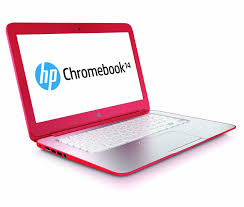
    I’m still really enjoying my Chromebook.  A Chromebook is a laptop of a different breed. Instead of Windows or Mac OS, Chromebooks run Google’s Chrome OS. These machines are designed to be used primarily while connected to the Internet, with most applications and documents living in the cloud and they are much less expensive than other computers.

    If you are thinking about buying a new computer, smart phone or tablet, you might want to consult with me first. In my tutoring, I have the opportunity to play with many kinds of devices so I can give you some good information about their advantages and disadvantages.  I’m proud to say that many of my clients have saved a lot of money and avoided a lot of frustration by consulting with me before they purchased.
    If you buy a new device, have me give you an orientation so you can get up and running quickly and easily. I read the owners manuals and take online classes so you don’t have to.  (“It’s a tough job but somebody has to do it.”  LOL)

    If you found this information helpful, please share it.  


    Enjoy!

    Mardi

  • Crapware

    Crapware:

    Why manufacturers install it, what you can do about it, and why it’s not going to go away   Based on an article by Adrian Kingsley-Hughes  http://www.zdnet.com/

    Crapware, also know as “bloatware” or “junkware,” are apps that hardware companies install onto their devices on top of the operating system (OS).  It’s a bunch of free trials and demos that nag you to buy the full version. Most annoying to me, is when you start using the app, not realizing that it’s a free trial, and then find out that you have to pay in order to continue accessing the work you’ve done.
    snailThe worst consequence is that crapware can dramatically slow down system performance or even compromise your system’s security. I frequently see relatively new computers running slow because of the weight of the crapware that has been installed on them. They run great once all the junk is removed. One has to wonder about the number of people who spend hard-earned money on a PC only to end up getting a third-rate experience because of crapware.
    Furthermore, many of these dissatisfied PC owners may end up blaming “Microsoft” or “Windows” for the performance issues, when the real problem is that the manufacturing company took money from third-parties to fill their computers with junk.
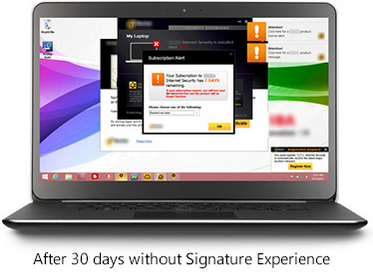
    Microsoft is well-aware of this.  It’s now offering Signature which is free from the clutter that “can slow down your computer and junk up your Start screen or desktop.”  See it here
    Screenshot 2015-03-07 at 1.35.12 PMScreenshot 2015-03-07 at 1.36.27 PM

    If you ask the hardware makers why they install this stuff, they’ll tell you they are offering you extra value. That’s a lie.  They do it because they make money for doing it. Except for Apple products, computer profits are very thin. Hardware makers are happy to install junk onto new systems in exchange for a few extra dollars.

    Photo courtesy of www.kitguru.net
    photo.apple_.windows.crapware (1)


    Eradicating crapware from Windows PCs isn’t easy, and when it comes Android smartphones and tablets it can be almost impossible.  There are tools out there for the PC such as PC Decrapifier and CCleaner that do a reasonable job of cleaning a system, but they’re far from perfect.


    The purveyors of crapware have become wise to these tools and take deliberate steps to make it difficult. It’s best to call my friends at Desert Cow Computers. www.mydesertcow.com

    desert cow computers

    Hardware manufacturers operate in a cutthroat business environment and crapware can make the difference between almost no profit and a little profit, especially on budget systems.  Perhaps you will decide to stay away from budget systems now.
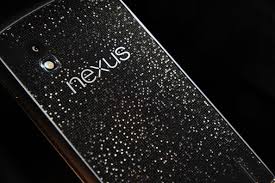
    Microsoft offers the Signature range of PCs and Google sells Nexus-branded devices, These products are free from crapware. If you’re looking for a pure Windows or Android experience, then this might be worth investigating.  Another option is to switch to Apple or Chromebook.

    nexus

    If more people complain or vote with their feet by purchasing crapware-free products, perhaps equipment manufacturers will be persuaded to make crapware easier to remove.

     
    Thoughts or comments about this topic?  Please comment below.  Thanks!

  • Good News – Phones Unlocked!

    Good News – Phones Unlocked!

    The government has agreed to the unlocking of devices in the United States  This means you can now unlock your mobile phone or tablet (iPhones, iPads, Android smartphones and tablets) and use it with a different wireless network carrier. All major service providers like Verizon, AT&T, T-Mobile, Sprint and U.S cellular are now allowing the unlocking of devices so you can switch to the carrier service that is best for you.  Previously, if you wanted to change your network provider you had to buy a new phone.

    Wireless carriers you can see if you allow images in your email app

    The unlocking policy and methods vary according to the network provider. The unlocking process is free if you fit into the rules set by the provider.  Before making your request to unlock the device, check the company policy and make sure you are eligible.

    Please forward this to everyone you know so they can be safe and feel relaxed, happy and confident with their computers and techie gadgets.

    Thoughts or comments about this topic?
    Please comment below.

    Thanks!

  • Great Apps for Computers and

    Apps are not just for smartphones and tablets. Many apps are web based and accessed through your web browser. You don’t have to have a smart phone or tablet to use some of the most popular apps.

    However, when people buy smartphones or tablets, they often ask me what apps they should know about.  I’m always happy to make suggestions based on antheir lifestyle and interests.

    Since you may have received a gadget as a holiday gift, I thought it would be a good time to tell you about a few of my favorites apps and programs. You may already be using some of these but you may discover some new ones to try. Enjoy!

    Entertainment and Media:   

    NetflixNetflix let’s you watch an unlimited number movies and television shows online for only $8.95 mo. You can train it to make suggestions for you based on the movies you watch and how you rate them.  You can even set up separate profiles for individual family members!  And, there are no commercials!!!

    You can connect your gadget to your TV and watch movies on it too.
    chromeCast


    Chromecast from Google $35


    roku

    Roku Streaming Stick $50


    appleTvApple TV $99


    spotify


    Spotify let’s you listen to music for free.  It even has playlists by subject or genre. The variety is astounding and there are no commercials!!!

     

    YouTube


    YouTube is a must for doing research on any topic that can be best explained with a video.  Think recipes, repairing things, movie previews, songs, lyrics, instructional videos, and answers to absolutely any question under the sun.

    shazam

    Shazam listens to songs on the radio, TV or movies. It identifies the song title, shows you the performer, album, lyrics and links you to sites where you can purchase.


    Productivity:

    dropboxDropbox is a great app for cloud storage and sharing.  When you put files in there, you can access them from anygadget or computer.  I use the phone app to play audio files of lectures and seminars. It’s super easy to learn and you get 2GB of storage for free.  By referring your friends to Dropbox, you can earn up to 16GB of additional space.  Sign up here
     

    office 365

    One of the most popular productivity tools for home and business is Microsoft Office. Unfortunately, Office documents don’t always play nice with third-party apps. Now Microsoft has released the Microsoft Office Mobile app.   It lets you open, create and perform basic editing on Word, Excel and PowerPoint files no matter where you are.

     

    mintMint.com and its app  (Free, and available for Android and iOS) links to your all your bank accounts, credit card accounts and loans so you always know just how much money you have and how you are spending it. You can set up spending categories and create a budget for each category. I love it for keeping track of my income and expenses for paying my taxes.

     

    The weather channelThe Weather Channel app and weather.com show you the current temperature, the hourly forecast and the next 10 days of weather.  Also you get a customizable radar map, video clips, severe weather alerts and beach conditions. It’s better than your gadget’s built-in weather app.



    free wifi finder

    You don’t want to burn through your cellular data plan when you are out and about or on a trip, so you need to useWi-Fi whenever possible. You can find free Wi-Fi locations with the Free Wi-Fi Finder app.


    Dating:
    match


    Match.com app has earned the top spot in dating apps and is my favorite.



    pof-logo


    POF.com (Plenty of Fish) is very popular here in the desert and is free.
     

    google mapsNavigation:

    Google Maps is my favorite navigation app.  I especially appreciate that it invites you to submit corrections.  Youget an email thanking you for your help and then a follow up email when the corrections have been made.

    uberUber is an app-based transportation network that uses a smartphone application to receive ride requests, and then sends these trip requests to their drivers. Customers love using the app to request rides and to track their reserved vehicle’s location.  Uber’s drivers use their own cars and there is a variety of types of vehicles available, from Town Cars to SUVs and more.  One of my friends is a driver for Uber and just loves it.  It’s a win-win for everybody.

    Other Popular Apps

    Here are some other popular apps that I don’t find the time to use very often, but you might enjoy.

    Save Money  

    RetailmenotThe RetailMeNot app helps you find promo codes and coupons for more than 50,000 physical and online stores, including grocery stores. You can save and store coupons for later, and share the savings with your friends through social media.


    Photo EditingSnapseed-icon-medium

    Snapseed is the top app for photo-editing and VSCO Cam is gaining ground in popularity.

    Social and Sharing

    Pinterest


    Pinterest, WhatsApp and Snapchat are the top apps in messaging and texting.


    instagram


    Instagram and Facebook are considered the must-haves for social sharing. The Facebook app got me interestedin using Facebook more often because it is so easy to use.

    Sports

    watchESPN


    WatchESPN.com is the most popular app for sports fans.


    Fitness

    MyFitnessPal is the top fitness app.my fitness pal



    Do you have any favorite apps to share?

    There are thousands of apps and recommendations from friends is the best way to sort through the maze.  Do you have some favorite apps not mentioned here?  Post your comments below so everyone can benefit from your ideas.
  • The Joys of Airplane Mode

    Airplane Mode for Travel


    Many of us will be traveling and visiting family this time of year.  Here are some tips to enhance the peace and joy of your holiday season.

    Using Airplane Mode on your smartphone isn’t only useful for flights. The feature can prolong your battery life or allow you to unplug and enjoy some uninterrupted family time. Here are some surprising ways you might want to use it.

    1: During a flight

    Screen shot of Settings for Android

    If you have been on a flight in the last few years, you have heard the constant reminders from the flight attendants to turn off all electronic devices. Once the plane has reached an altitude of 10,000 feet, cell phones can be used in airplane mode.

    To activate Airplane Mode on your phone, simply go into the Settings app and turn it on.  There are shortcuts to do this, depending on the type of phone, (ask me to show you on yours next time we see each other) but this method will work for everyone reading this article.

    Once Airplane Mode is activated, your phone turns off both the Wi-Fi and cellular connections. This means you will no longer be able to make or receive calls, texts, or e-mails, or browse the Internet — anything that requires a data connection will not work while Airplane Mode is activated.

    Wi-Fi can be turned back on and connected to a network while phone is in Airplane Mode.  If you are lucky enough to be on a flight with Wi-Fi, you can turn just the Wi-Fi connection back on and send emails, browse the Internet, or send instant messages.  (Again, just go into the settings app and turn the wifi on.)


    Screen shot of Settings for iPhone

    2: To unplug for awhile

    Airplane Mode is a great way to unplug in order to spend some quality time with your family or just take a break from the beeps that seem to control our lives sometimes.

    Putting your phone in Airplane Mode puts you back in control. You may be surprised how quickly you forget that your connection is turned off, and how peaceful your evening can be.

    This is also a great way to silence your phone during important meetings. Don’t worry, all of your messages will be waiting and will download as soon as you turn Airplane Mode off.


    3: While traveling internationally

    Screen shot of Airplane mode on iPhone

    Traveling across borders can be an expensive affair for you and your wireless carrier. International roaming charges are very pricey. One way to avoid the extra roaming fees is to activate airplane mode on your phone and only use Wi-Fi hotspots while you travel. You won’t be able to receive text messages or phone calls, but you will still be able to check your e-mail, use instant messaging, and browse the Internet over a Wi-Fi-only connection.  (You can let people know you will be out of town and suggest they communicate by email until you get back.)


    screen shot of movie on phone

    4: While the kids play games or movies

    Your smartphone can provide a welcome distraction for your young kids or grand kids. However, as you can imagine, kids will start pushing and tapping anything they see on the screen.  You don’t want them accidentally dialing phone numbers or sending random texts. If you are going to let your favorite little people play games or watch a movie on your phone, turn on Airplane Mode before you give your phone to them. This not only prevents them from calling anyone, but it also stops push alerts from interrupting their game or movie.


    5: To save battery

    screen shot of battery status on iPhone

    We have all been in a situation where we suddenly have a low battery and no access to a charger. One way to help slow down battery drain is to turn Airplane Mode on. When your phone is on, even with the screen off, it is constantly searching for and monitoring data connections. Turning those connections off with Airplane Mode will save battery, allowing you to make calls only when you absolutely need to.

  • Microsoft And Apple Finally Playing Together Nice? Not!

    I always love hearing from my clients and friends when they have an idea or a question.  It keeps me up to speed with your needs and concerns and provides me with the opportunity help others as well.  I enjoy doing the research and making the mistakes, so you don’t have to.

    Recently I received this email,

    office 365You should check out this offer of free software from Microsoft and Apple.  It really works, though it is available from the “Cloud” and is likely a bit slow.  I have their version for PC’s on my computer, and I pay $99.00 per year to use it!  This version, being free, and downloadable from the Apple App Store, looks worth a shot!


    I was aware of this new service and have been meaning to try it.  This week I finally had the opportunity.  I was very disappointed.

    I’m helping a client format his auto biography for self publishing on CreateSpace.com. He wrote it entirely on his iPad! (No, he didn’t write it using the touch screen keyboard.  LOL  He has a wireless keyboard for it.)
    At first I thought we could collaborate on the document using the new iPages for iCloud service but it was sorely lacking in editing tools. (It’s in Beta, or test version.)

    pages on cloudEver the “Queen of the Work-around”, I copied and pasted the doc into my Microsoft Word app.  Next, I signed up for the free month trial of Office 365 online so we could collaborate on the cloud.


    MS-Office-for-iPad


    Then, I  directed my client to download the free Microsoft Office app for iPad. Alas, it only gave him the ability to read the doc!

    Microsoft, doesn’t say a word about that in the promotional information online! You have to subscribe to Office 365 and pay a monthly fee in order to have editing capabilities.

    computer-frustration-815492-m
    My client could have signed up for the free month trial but you know what it’s like to set up a new account with password and credit card info, and you have to put it on your calendar to cancel the service in 30 days before you get billed on auto-pay.  I wasn’t going to suggest that he go through all that for one project.  So much for “the boys” collaborating on the cloud!  We are back to emailing attachments.

    It’s a challenge to keep up with all the changes but somebody has to do it. I enjoy doing it and always appreciate your help. Hopefully, sharing my experiences in the field will spare you from wasted time, money and frustration.

    victory-1095383-mKeep those questions and ideas coming. Remember to consult with me about what you want to accomplish before deciding on what to buy (apps as well as gadgets).

    Let me give you an orientation on how to use your new products and services so you can get your work done quickly, easily and efficiently.

    Whom do you know that could use my help?  I promise to take good care of them.  Call me today!

  • Listen Up Sports Fans… There’s An App for That!

    RememberThis week a client asked me if he could watch college football on his new tablet.  Yes!  “There’s an app for that.”  Actually there are a lot of apps available.  There are many free and paid options to watch football, soccer, basketball, tennis and other favorite sports.

    You can download an app through “the company store”. (Google Play for Android devices and The App Store for Apple devices.)

    Here are a few suggestions to get you started. Two good apps for streaming live sports are offered by television stations.

    WatchESPN (ESPN Inc) offers live streaming of events from the ESPN, ESPN2, ESPN3 and ESPNU networks. You can enjoy access to events from the NBA, MBL, U.S. Open, The Masters, college football and basketball, Grand Slam Tennis and Euro 2012 Soccer — as well as original ESPN programming like SportsCenter, Pardon the Interruption and SportsNation. WatchESPN is user-friendly, making it easy to search for your favorite teams, leagues and shows.

    To access WatchESPN’s live stream, you’ll need a cable subscription through a participating cable provider (e.g., AT&T U-verse, Cox, Time Warner Cable or Verizon). The app will prompt you to enter your TV provider, TV subscription user ID and password.

    CBS Sports (CBS Interactive, Inc.) features a live stream of video of top sports, including NCAA and SEC football games. Scores of games that cannot be streamed live are updated very quickly. CBS Sports also offers on-demand access to game highlights, analysis and original programming, as well as a live Twitter feed of commentary from players, writers, analysts and bloggers.  The CBS Sports mobile app features extensive college football coverage including live streaming of some games on Saturday.

    Note:  You may need to download and install Adobe Flash Player, the leading video and animation player. Downloading Adobe Flash Player is free, quick and easy.

    NBA League Pass Mobile allows you to follow the league through live NBA game viewing in addition to on-demand game replays and league highlights. The league Pass costs $16.99 per season and is available through the NBA Game Time mobile app.

    MLB.tv offers the At Bat 13 subscription service, which features home and away broadcasts, HD quality video, full game archives and in-game highlights and stats. A season pass is $19.99 and premium subscribers have access to live video feeds.

    In addition to apps, you can find websites that can connect you to an online broadcast of the sporting event you want to watch.  Just do a search in your web browser.  You may want to check out Ustream, FirstRow Sports and Stream2Watch.


    Note:  Streaming sports live does limit the life of your battery because it requires you to use your data connection plus the audio and video components of your device’s hardware.  To prolong the life of your battery, try dimming the screen and turning off any unnecessary features (e.g., Bluetooth). Make sure to have a power adapter on hand to juice up your battery when the need arises.

    If you, or someone you know, needs to learn more about how to search for good apps, or websites, I’d love to help. Call me today!

    Share your favorite apps and websites for sports in the “Comments” below.


  • Can’t Type? Try Dragon Naturally Speaking

    Can’t Type?   There is a great solution.

     Dragon Naturally Speaking

    Dragon

    Dragon is similar to the speech recognition apps on smart phones like Siri and Google Voice, but you can train Dragon to recognize your voice and your speech patterns so it gets more and more accurate.  It will even scan the emails in your “Sent” folder to learn your speech patterns. You have to be a little patient in the beginning to correct its mistakes, because that’s how it learns to become more accurate but it’s easy to do.

    I have helped several clients with Dragon and I’m currently working with a man who had a stroke several years ago and is using Dragon to write his emails.  I also connected his computer to his big screen TV so he can see the typing better.  He’s really enjoying it and that has inspired me to consider using myself.  I often feel like my hands can’t keep up with my brain.  My typing is fast but makes so many mistakes, especially when I’m journaling or writing Techie Tips.

    I used it years ago when I was in Real Estate and it worked in all my apps:  email correspondence in Outlook, web searches, composing documents in Word, and making notes in my contact manager.  The newer version of Dragon is even more accurate and easier to train than before and it’s not very expensive.

    Dragon Dictate
    You can get the app for your tablet or smartphone too.
    iTunes                     Google Play Store

    And you can use your smart phone as the microphone for your computer.

     iTunes                      Google Pla

    If you, or someone you know, would like to learn how to use Dragon Naturally Speaking, please let me know. 

    This is a great way to “make peace with the ups and downs of computer technology.”

  • FYI for Current Users of Apple iPhone, iPad and iPod

    FYI:  For Current Owners of Apple Gadgets:

    Ipad And Iphone

    The iOS 8 update is available now for users of iPhone 4 and later, iPad 2 and later, iPad mini and later, and iPod touch (fifth generation).

    You may have to delete some things in order to have enough memory to install the update.  It can take quite a bit of time to look at your apps’ usage and decide what to delete.  (Go to Settings > General > Usage)

    I had to dump 2 GB on my iPhone 4s.  I chose to keep my music for my workouts and dump a lot of photos. I also dumped a bunch of apps I wasn’t using very often.  I didn’t care about them anyway so it was a good incentive for me to do some clean up. I will run the update and report back in next week’s Techie Tip.

  • iPhone VS Android — “The Boys Slug It Out For Another Round”

    iPhone Vs Android
    “The Boys” Slug It Out For Another Round

    Apple and Google went for another round in the competition for market dominance this week as Apple launched it’s larger iPhone 6 models and its iOS 8 operating system for all its gadgets.

    iOS 8 has has some very cool new features and I noticed that many of them are features that Android phones have had for a long time.  (I have used both and currently use an iPhone.)  My son, Jason, who is convinced Android is far better than iPhone and hated to see me switch, sent me this hilarious joke about the news.

    Reaction to the iPhone 6 and iPhone 6 Plus has been lukewarm. Many have accused Apple of playing catch up with rivals such as Samsung, rather than leading the way. An image titled 'Dear iPhone 6 users: Welcome to 2012' has gone viral, (pictured) which lists new Apple features that have existed on Android phones for years

    I asked Jason if he thought I should wait to install the update until the bugs are worked out and the app developers have more time to fix their apps to work with it, and he said,

    Jason Griswold's profile photo

    “Nah, that’s for normal people, we are in tech…we live to have our world turned upside down.”

    He’s so funny!  But it’s true.  I love the challenge, the adventure and being able to make your transitions easier by sharing my experience.

    Who do you know that…

    • Is trying to decide whether to buy an Android gadget or an Apple gadget
    • Needs help with updating to iOS 8
    • Wants a tutorial on the changes and new features or
    • Wants to learn more about their Android phone

    Please let me know so I can help them “make peace with the ups and downs of computer technology.”